Windrose server hosting,
with the admin panel the game never shipped.
Spin up a private Windrose multiplayer server for you and your crew in a couple of clicks — then run every setting, including the full world-difficulty surface, from labeled panel fields instead of two JSON files and a separate updater tool. Direct Connect is on by default, so your crew reaches the box directly, not a relay across the world.
Windrose premium server hosting: from $32/mo · 12—24 GB · sized by measured RAM, not slot fantasy · direct connect on by default
- ✓Backed up nightly, off-site — restore or download them yourself.
- ✓Every file is yours — file manager and config editor in the browser.
- ✓Share the server, not your account — and take the keys back anytime.
- ✓Switch games later, keep the world — your RAM is a pool.
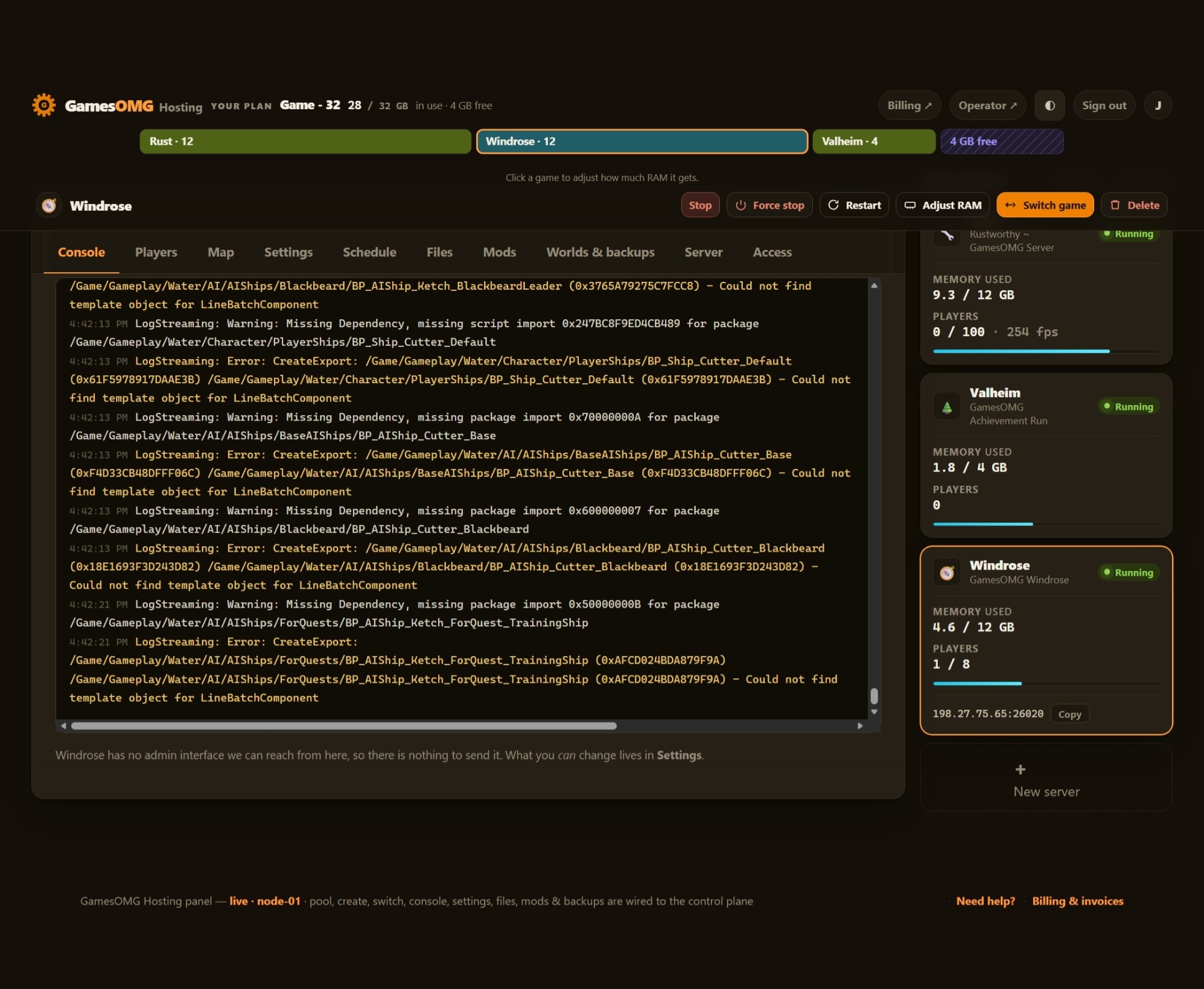
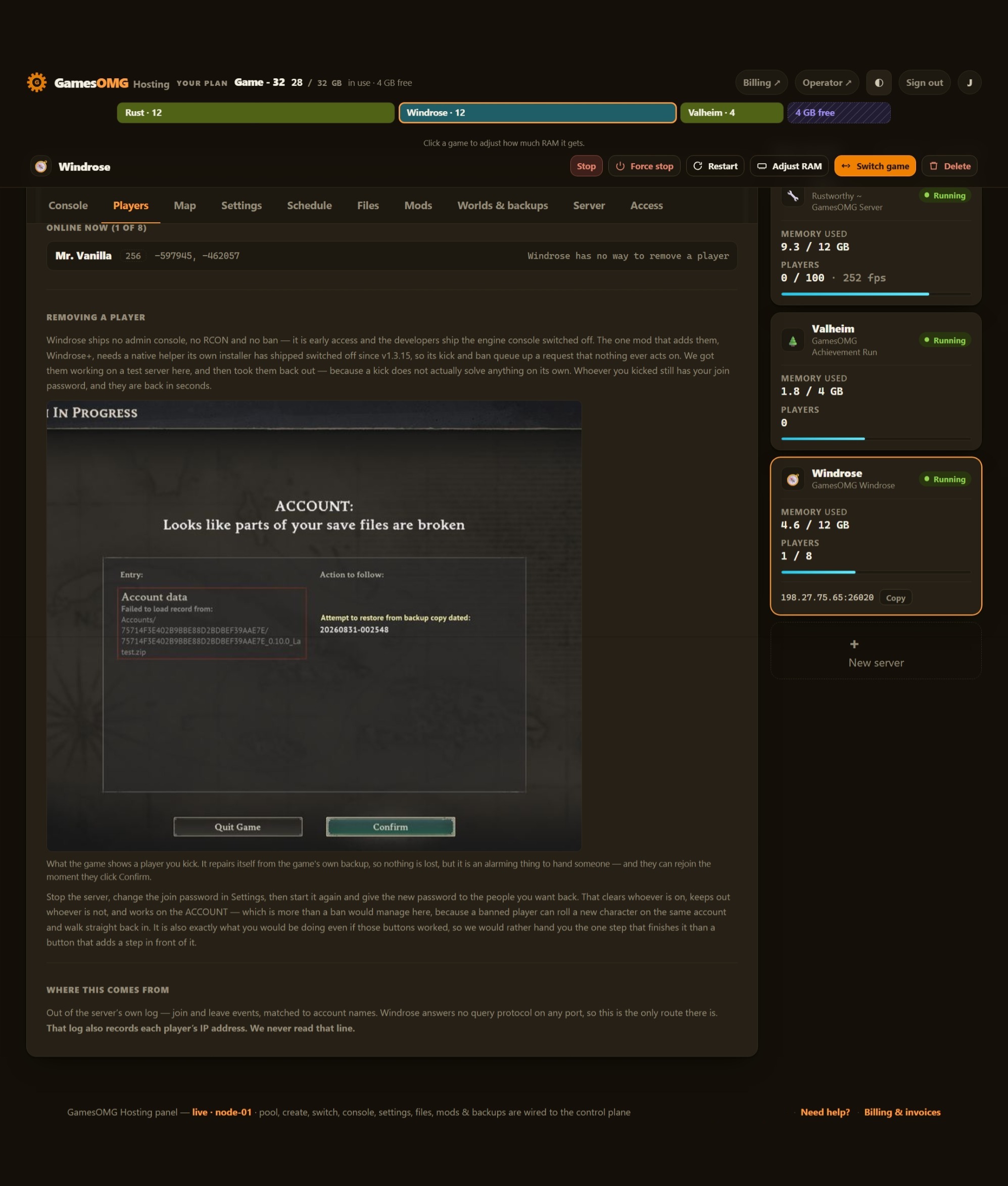
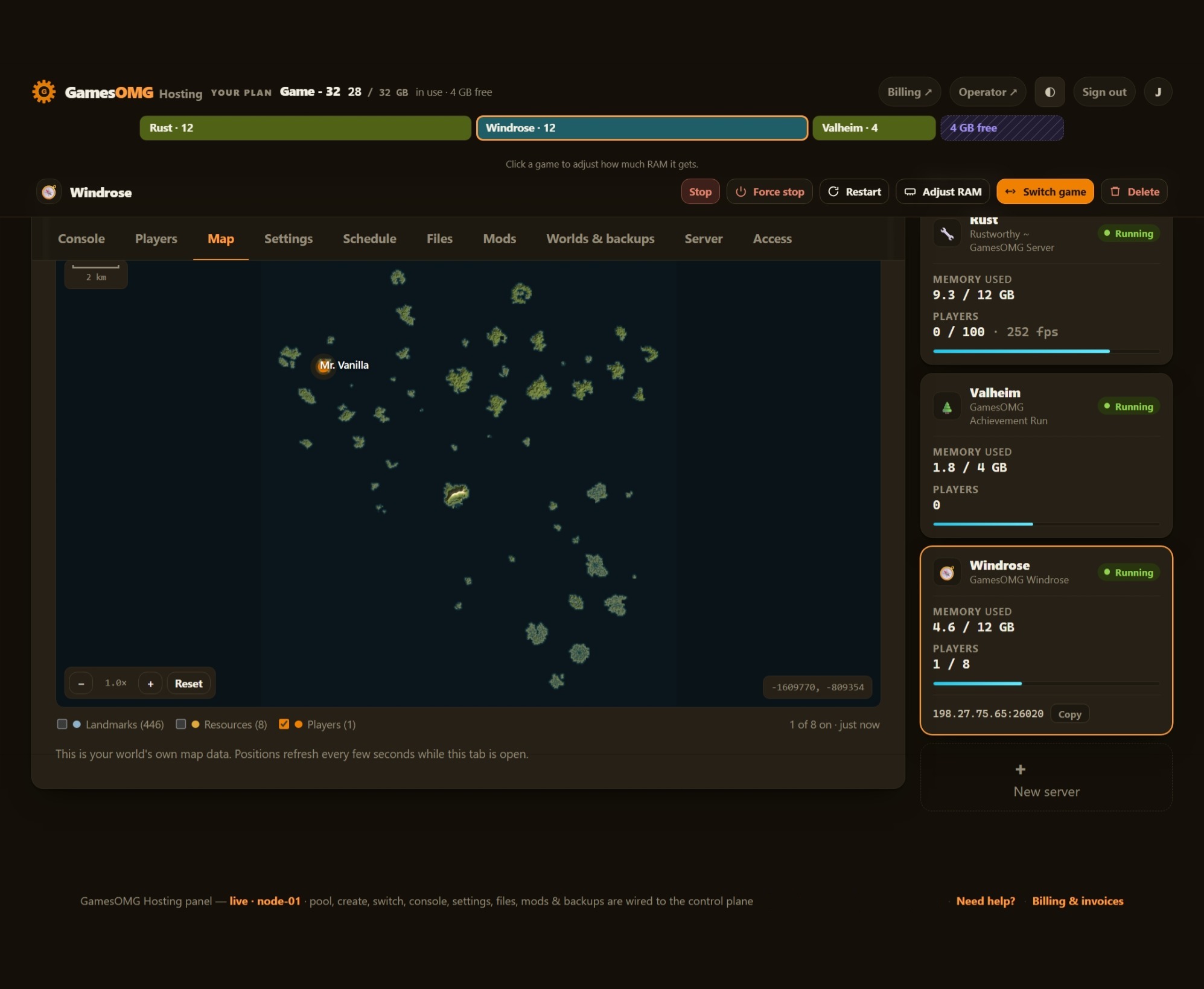
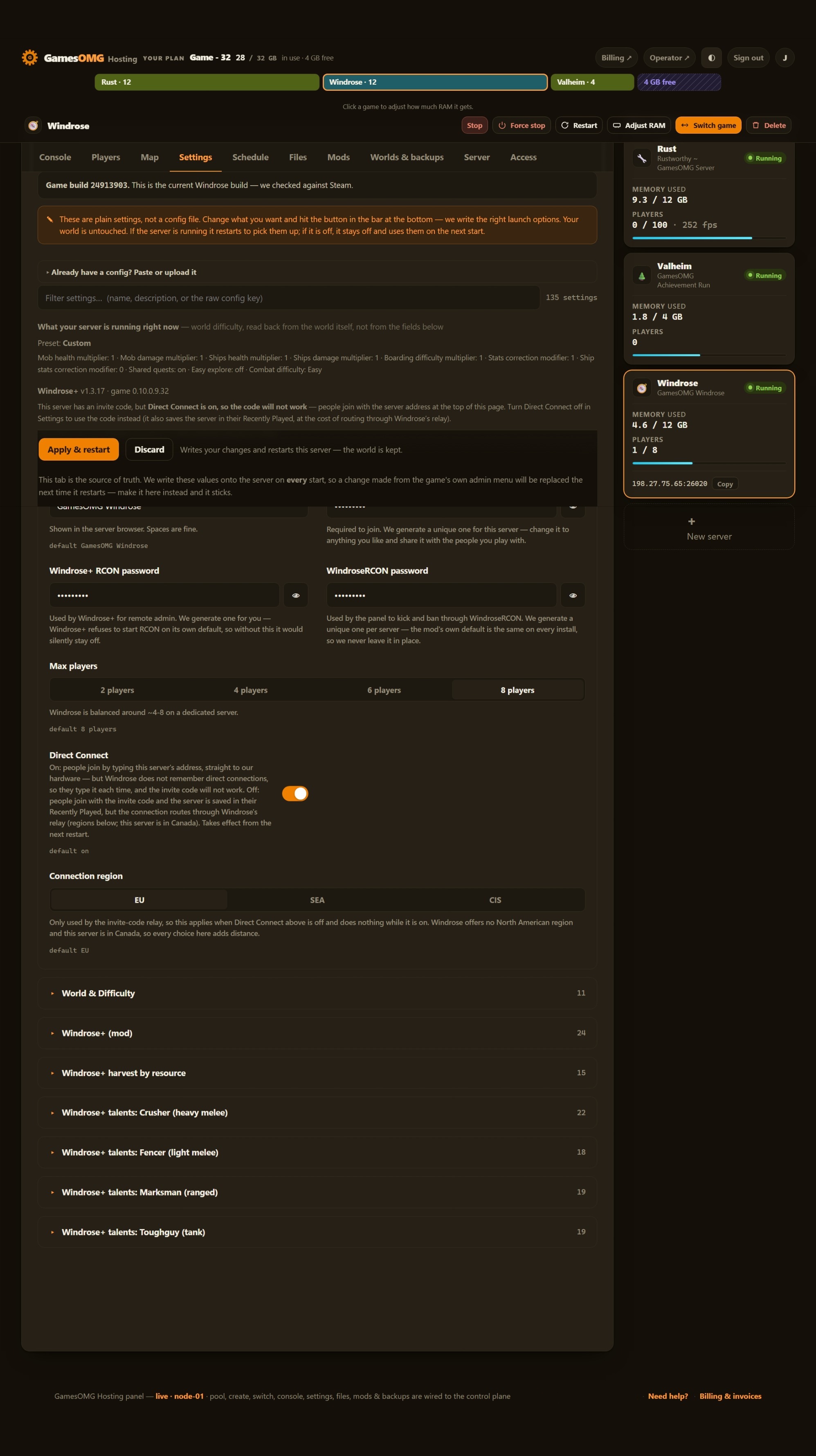
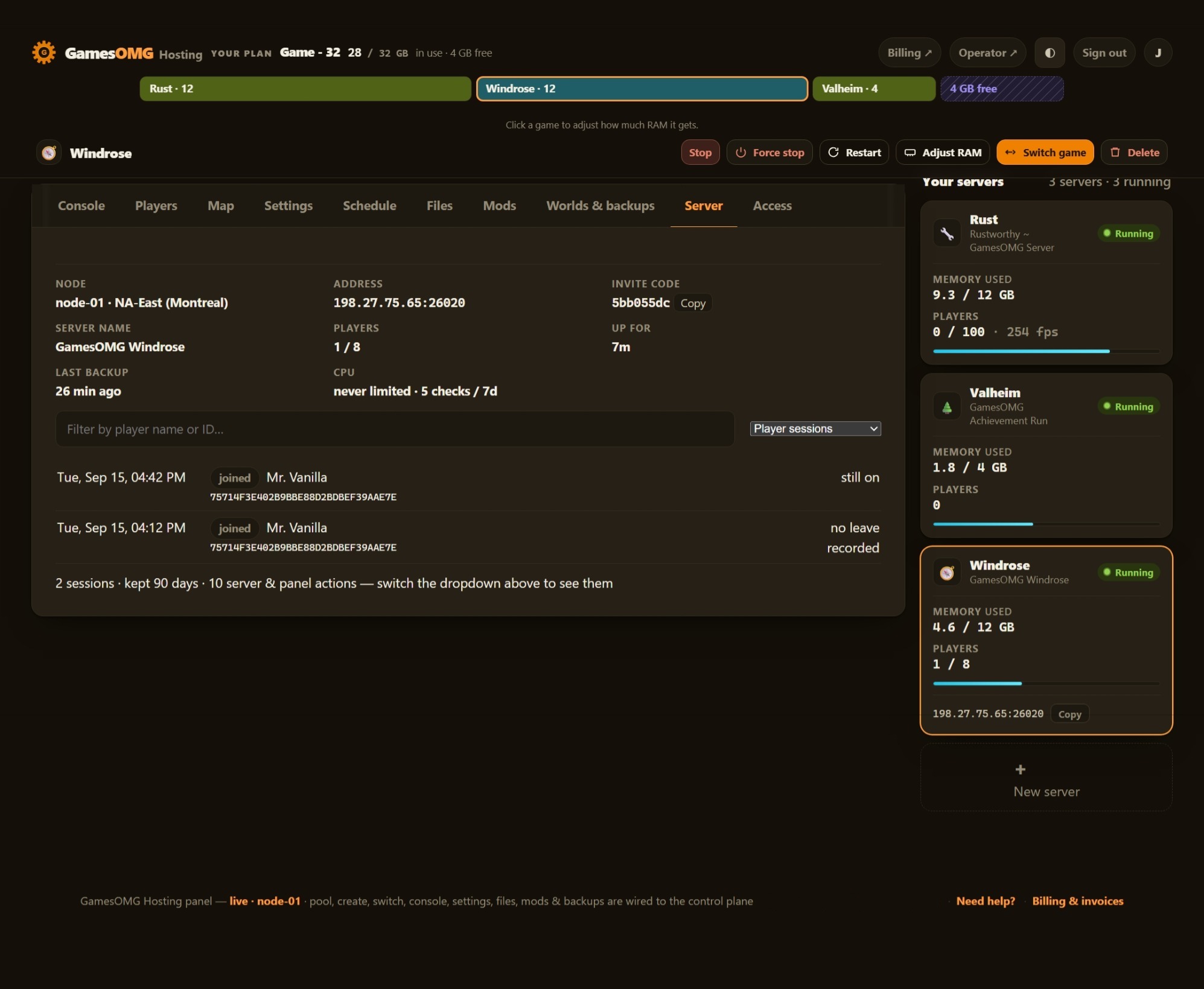
Automatic server install.
18 settings as labeled fields, each with the game’s own default beside it
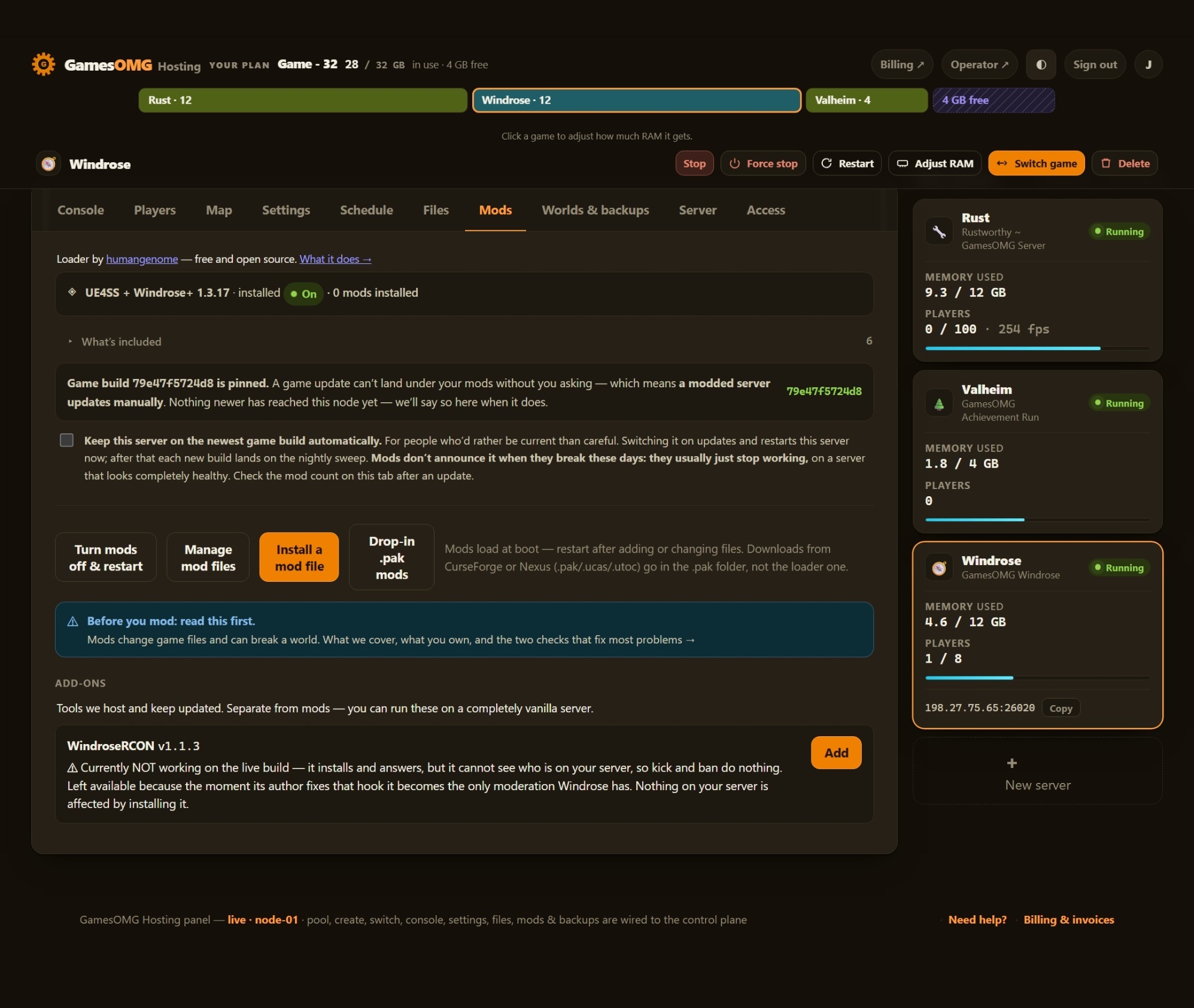
One-click UE4SS, and your own mods on top
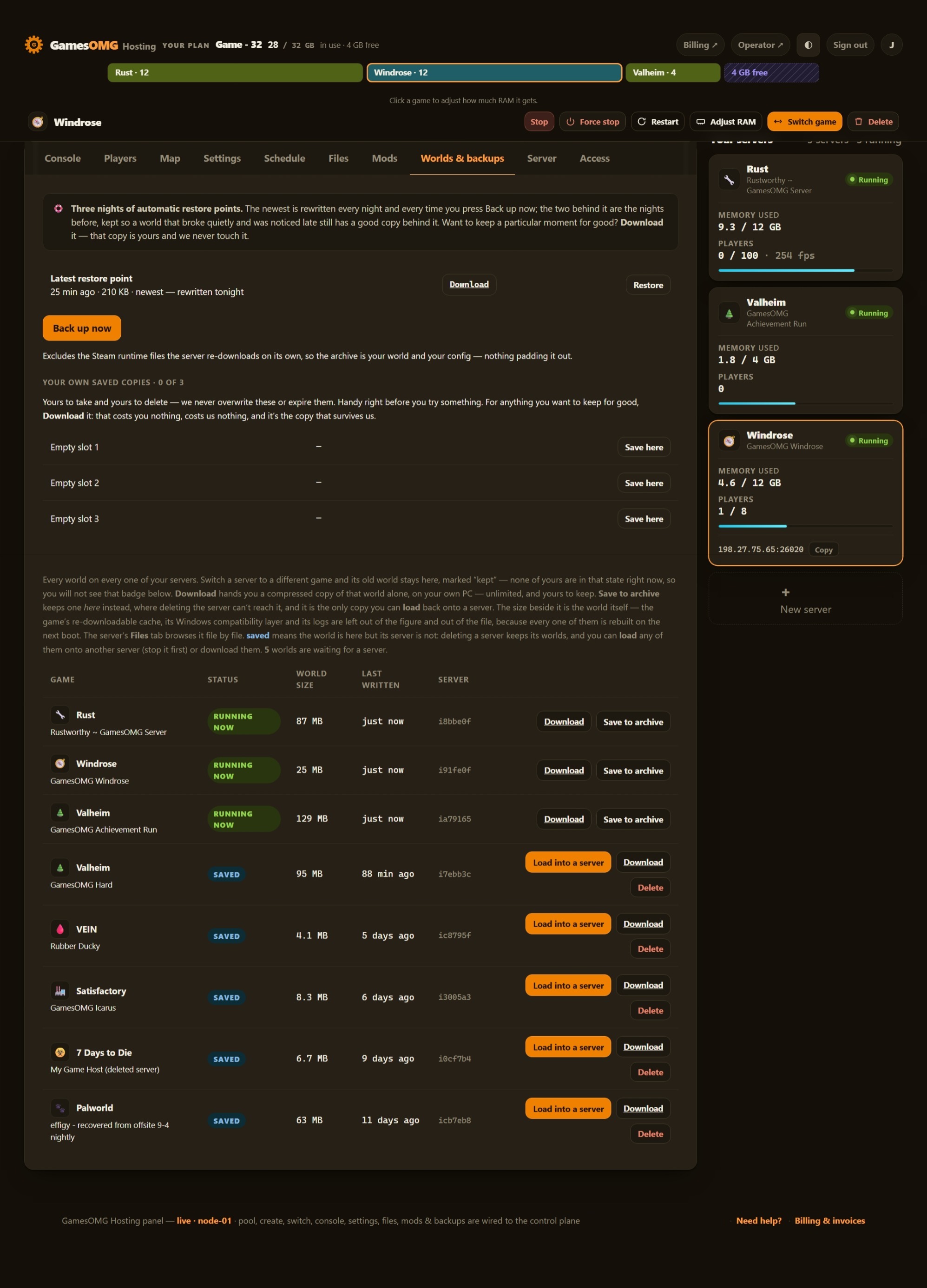
Nightly off-site backups, full file access, and your world downloadable any time — plus a live map in your panel
You set the player limit — Windrose ships at 8, and we never sell slots
Small groups and fresh worlds — the smallest box we would run this on
monthly · no contracts · 72-hour money-back · nightly off-site backups · cancel from the panel
What comes with a Windrose server
All of it on every plan. The rungs differ by memory, not by what you are allowed to do.
Run it from the browser
No SSH, no ticket, no waiting on us.
- ✓Start, stop and restart whenever you like
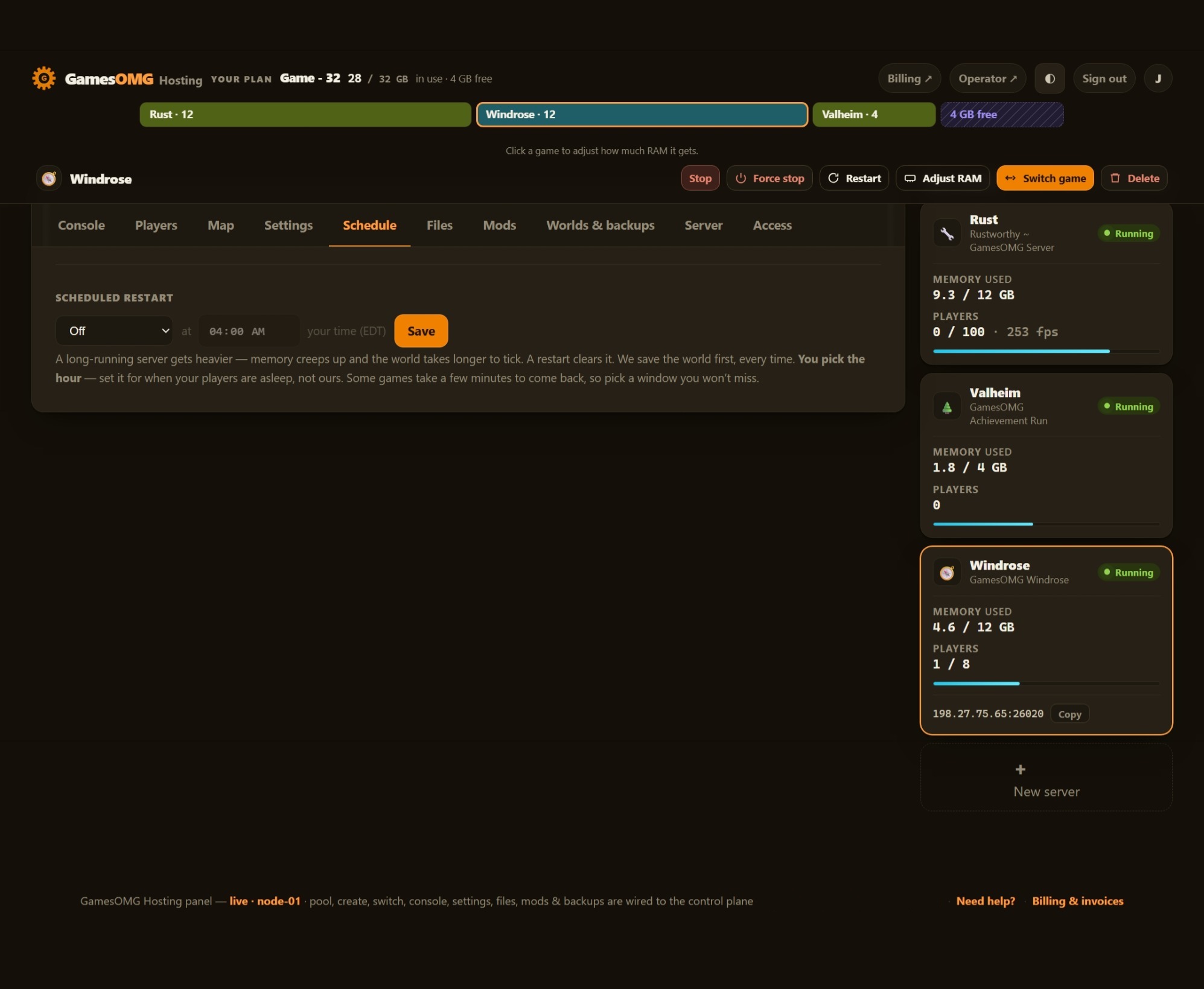
- ✓Scheduled restarts on a timer you set
- ✓Password your server and see who is on it
- ✓Switch this server to another game and your Windrose world is kept — no charge, no rebuild, switch back whenever
A world that actually saves
The part we found the hard way.
- ✓We save before every stop and before every backup
- ✓Nightly off-site backups — restore or download any of them yourself
Mods, bans and your files
They stick across restarts and updates.
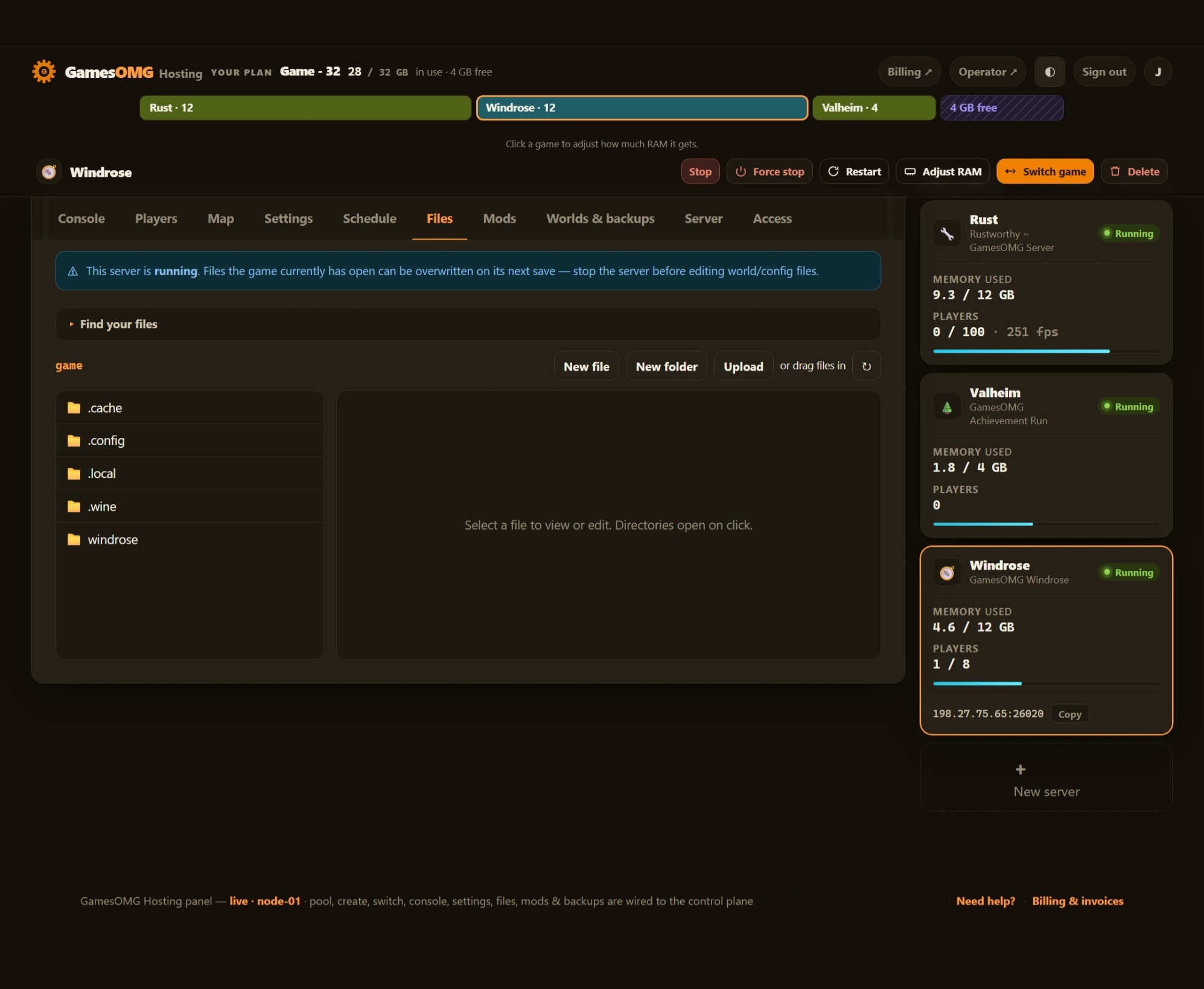
- ✓File manager and config editor in the panel
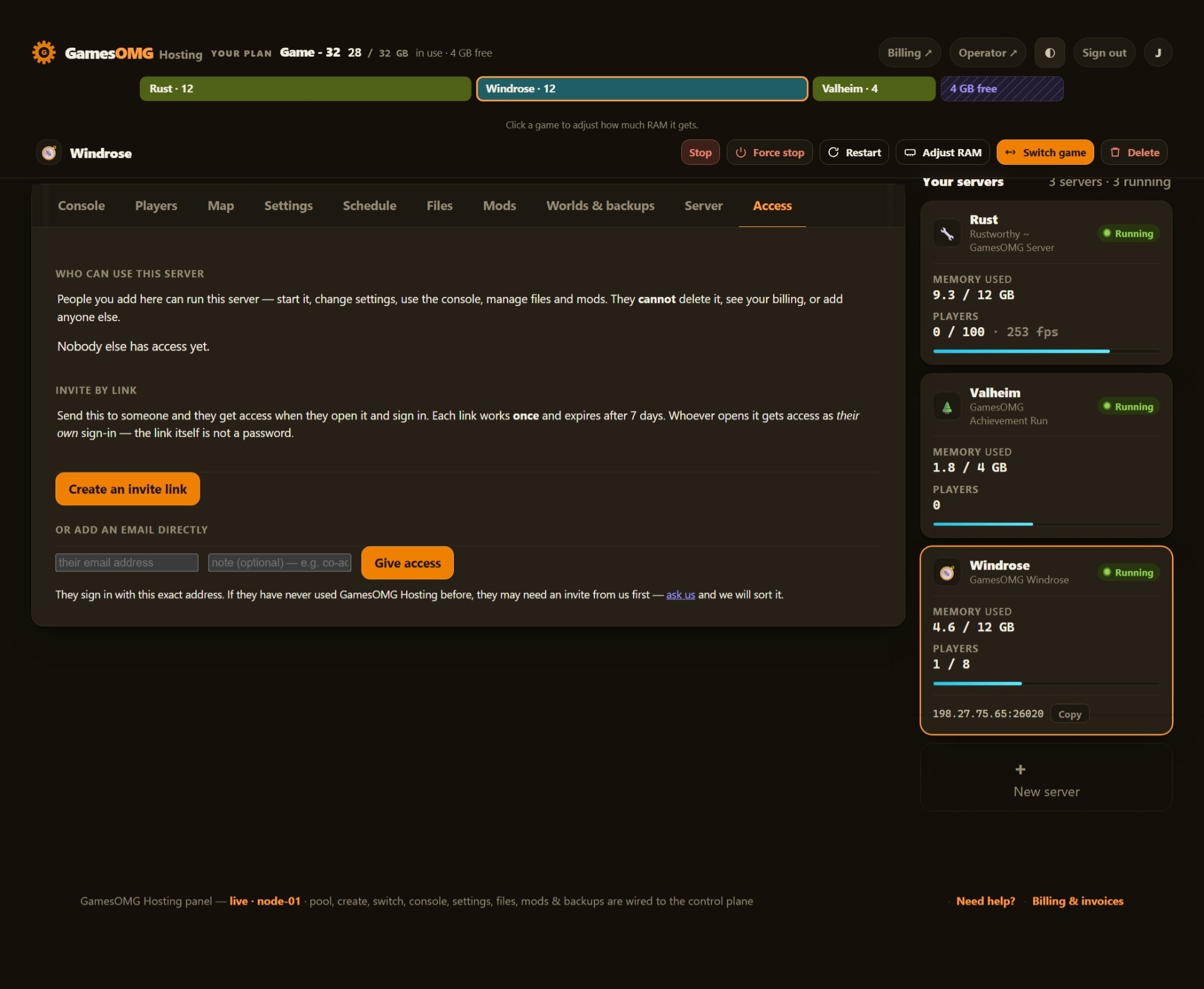
- ✓Share it with a friend — an invite link or their email, for this one server, revoked whenever you like
- ✓A history you keep — joins, leaves, power actions and setting changes, stored outside the container so a rebuild cannot erase it
- ✓Bring a world in, or take yours out, whenever you want
The hardware, named
You can go and look every part of this up.
- ✓AMD Ryzen 9 9950X — not “premium hardware”
- ✓NVMe SSD storage
- ✓Dedicated RAM, never oversold — the number is on your receipt
- ✓DDoS-protected network
- ✓Direct game and query ports — no proxy hops
- ✓NA East (Montreal), one location, stated plainly
We measured ~4.6 GB with a single player, climbing as the world grows — so our tiers run smaller than the dev's spec (12 GB ≈ duo, 16 GB ≈ 3–4, 24 GB ≈ big crew). The RAM you pay for is a hard, walled-off slice and your CPU share is sized to that plan, so we never oversell — your slice stays yours. Bring an existing world in via the file manager — yours to download, always. One location: NA East (Montreal).
And if you would rather not choose: your RAM is a pool. Size up once and run Windrose and something else side by side on the same plan, with no second bill.
Windrose server hosting — straight answers
How much does Windrose server hosting cost?
$32/mo for 12 GB, $41/mo for 16 GB, and $59/mo for the 24 GB tier — $2.46/GB, each with guaranteed dedicated RAM, no slot pricing, no oversell. Windrose is genuinely heavy (the first player alone loads ~4.6 GB), so 12 GB is the floor we'll sell.
Does Windrose even have a server admin panel?
Not in-game — and that's exactly what you're renting from us. To run a Windrose dedicated server yourself you hand-edit a ServerDescription.json file, and to change world difficulty you edit a second JSON file in a very specific tagged format and then run a separate updater tool to commit it into the world database. We turned all of that into labeled fields in your panel: server name, join password, player cap, region, direct-connect, and the full world-difficulty surface. Set them, restart, you're playing — no JSON, no updater tool, no SSH.
What can I actually change in the panel?
Server name and join password, the player cap, your region, and direct-connect — plus the world side: difficulty preset (Easy / Medium / Hard / Custom) and, on Custom, the individual multipliers: mob and ship health and damage, boarding difficulty, resource and co-op tuning, and the combat-difficulty tier. Each one a labeled control built from the same data as our public config generator.
Will my friends lag? What is "direct connect"?
By default Windrose routes players through a peer-to-peer relay — and that relay can send your group through a server on the other side of the world (we watched it route a North-American box's traffic via Frankfurt). We ship every server with Direct Connect on: clients reach your box directly over its own game port, so the path is you → the box, not you → a relay → the box. Lower ping, fewer rubber-bands, and it's the default — not a setting you have to go find. Prefer the game's invite code instead? Turn Direct Connect off in Settings and your server hands one out — the panel shows the code and the address side by side, so you can pass whichever suits your crew. ⚠ It is one or the other: with Direct Connect on, the invite code has nothing to resolve to, and most hosts will not tell you that.
How much RAM does a Windrose server use — what do the tiers really hold?
It's a heavy game, so honestly less per dollar than the dev sheet implies. We measured ~4.6 GB resident with a SINGLE player on our own hardware, climbing as the world fills in. The dev lists 8 GB for 2 / 12 GB for 4 / 16 GB for 10 — but going by what we actually measured, 12 GB is really a duo, 16 GB a small crew of 3–4, and 24 GB (Extreme) a big crew of ~5–8. We'd rather say that than sell "10 slots" on a server that chokes at player three.
Which Windrose plan should I get?
12 GB for a duo, 16 GB for a typical crew of 3–4 (most people land here), 24 GB Extreme for a big crew of ~5–8. Windrose is brand-new and heavy, so we err toward honest sizing — if you're between two, size up; moving tiers later is painless either way.
How many players can join?
The developers support up to 8, and RAM is the real limit before that on a title this heavy — realistically ~2 on 12 GB, ~3–4 on 16 GB, and ~5–8 on the 24 GB Extreme tier (best-effort on a brand-new game). We size by measured RAM and quote an honest player range instead of selling "slots" the box can't actually run.
Are mods supported?
Yes — turn mods on and we install and wire up the UE4SS + Windrose+ loader for you; you add the mod files through the panel's file manager. (The loader install is one click on every game we host.) Your slice stays yours either way: the RAM is a hard, walled-off allocation a neighbor can't touch, the CPU share is sized to your plan, and we never oversell.
Is my world mine? Can I move it?
Always. Your save lives on your server and you can download it through the panel's file manager whenever you want — exit insurance, included. Bringing an existing world in works the same way.
Do you back up my Windrose world?
Yes — every night, automatically, to off-site storage on a separate network from your server (Cloudflare R2). You get last night's copy, two more we take for you before any game update, and three slots you fill yourself — six restore points, any of them one click to roll back or download, no ticket, no waiting. On by default, no extra cost, nothing to configure.
Does my Windrose server restart on its own?
If you set it to. Long co-op sessions get heavier the longer they run, so we built one-click scheduled restarts into the console — off, daily, or every 12 hours, at a time you pick in your own local time. Set it once and your crew never logs in to a sluggish world. Crash-restart is on by default too, so a server that falls over comes back without you — and you can always hit restart yourself from the console.
Windrose is in Early Access — will my server keep up with patches?
Yes. We publish each new build to the node and the panel offers it in one click — or on the nightly sweep if you turn auto-update on, which updates and restarts the server the moment you flip it — and because we built the settings surface ourselves — it's the same data as the GamesOMG Windrose config generator — we re-check it against each patch on our own hardware. Early Access means the game changes; keeping the panel honest against those changes is our job, not yours. Right now that means 0.10.0.9 (25 Aug), and the Ashlands update — a fourth biome with new ship classes — is in development for later this year.
Where are the Windrose servers located?
NA East (Montreal) — on an AMD Ryzen 9950X with NVMe storage, a DDoS-protected network, and a direct game port. One location today; more regions when enough people ask.
Windrose hosting guides
The honest answers we used to size our own boxes — useful whether you host with us or yourself.
Spin up a Windrose crew.
Order in a couple of clicks — it self-provisions and boots, ready to share, with Direct Connect on and every setting a labeled field in your panel.