Valheim server hosting
with every setting built in.
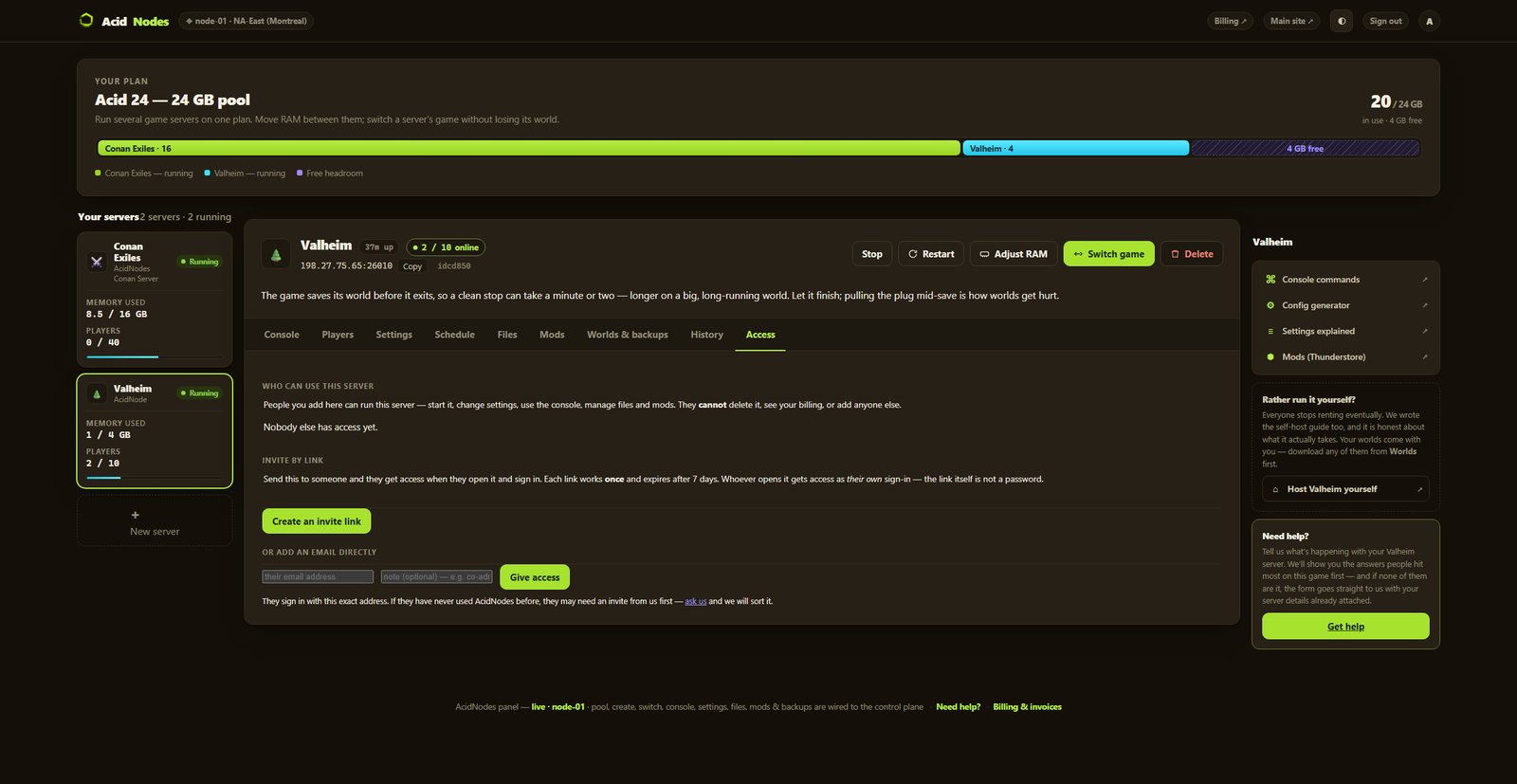
Rent a Valheim server where every world modifier and 26 advanced world keys — settings that normally live in hand-typed launch flags — are labeled fields in your panel, and the admin, whitelist and ban lists sit right beside your player count. Set them, hit deploy, you’re playing.
Valheim premium server hosting: from $11/mo · $2.75/GB · 10-player worlds · slide your RAM up anytime
- ✓Backed up nightly, off-site — restore or download them yourself.
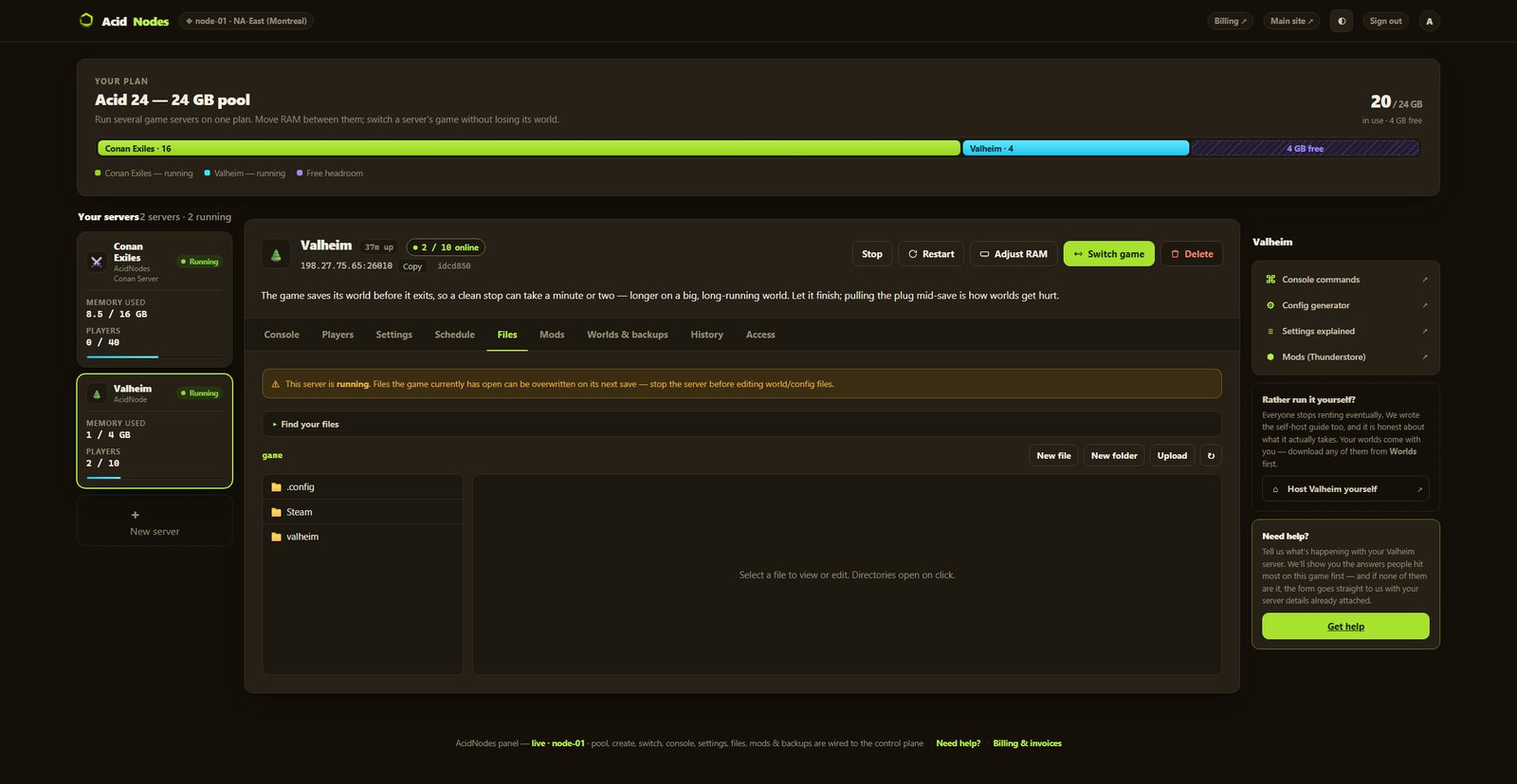
- ✓Every file is yours — file manager and config editor in the browser.
- ✓Share the server, not your account — and take the keys back anytime.
- ✓Switch games later, keep the world — your RAM is a pool.
- ✓Crossplay is a toggle — flip it on and Xbox / Game Pass friends join with the in-game code
- ✓26 advanced world keys — the
-setkeysurface most players never see, each one verified against a running server before we listed it
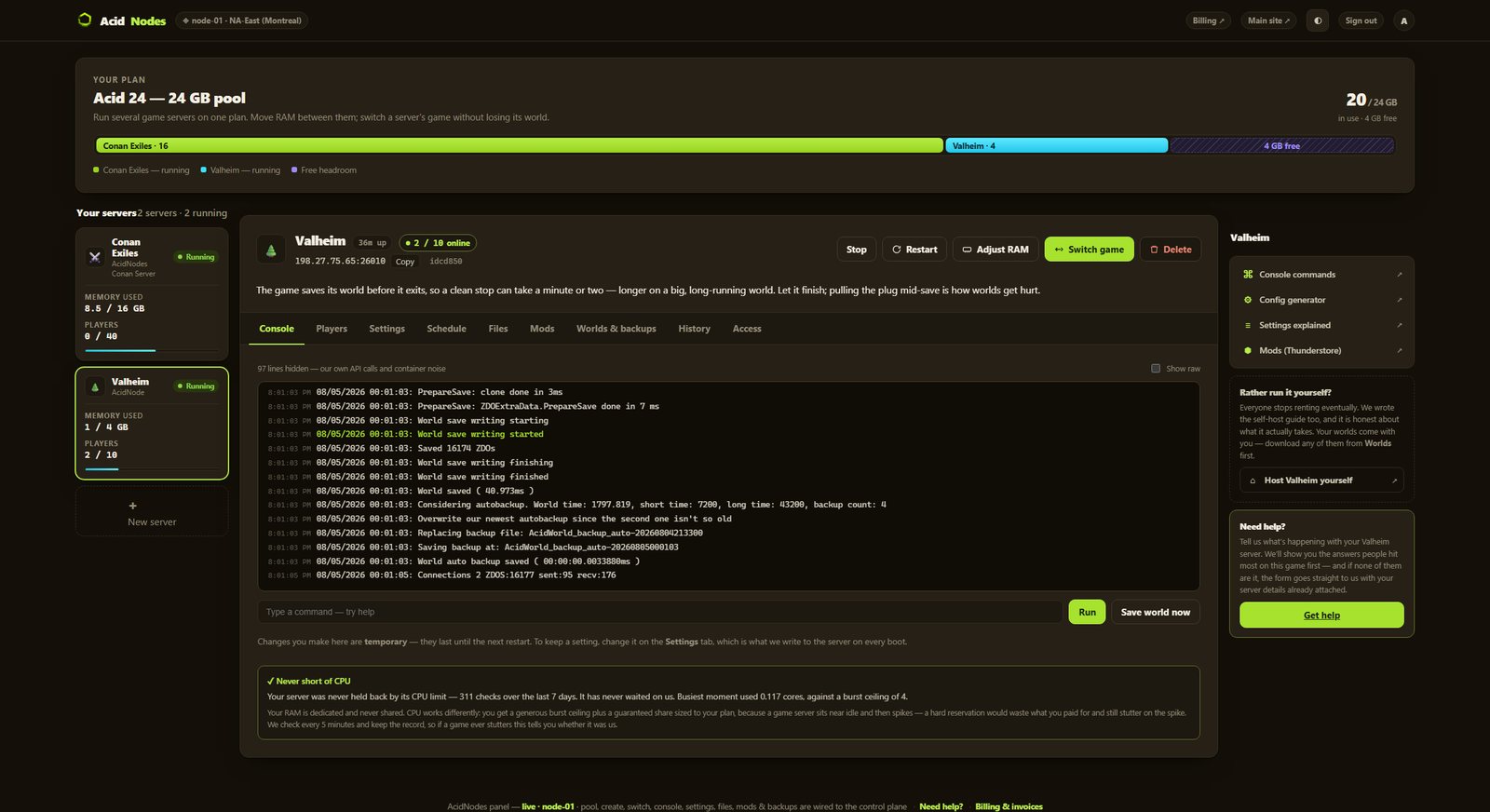
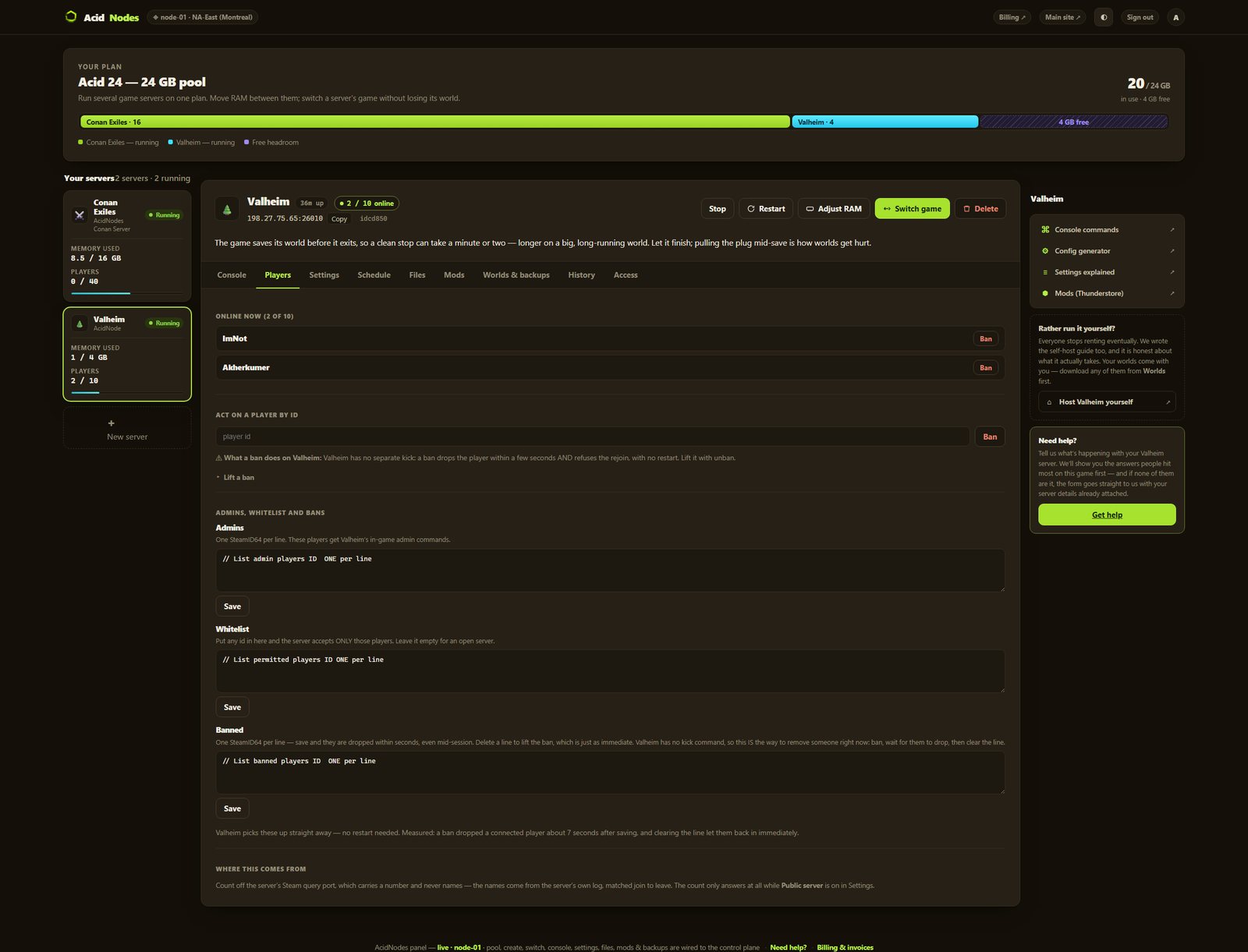
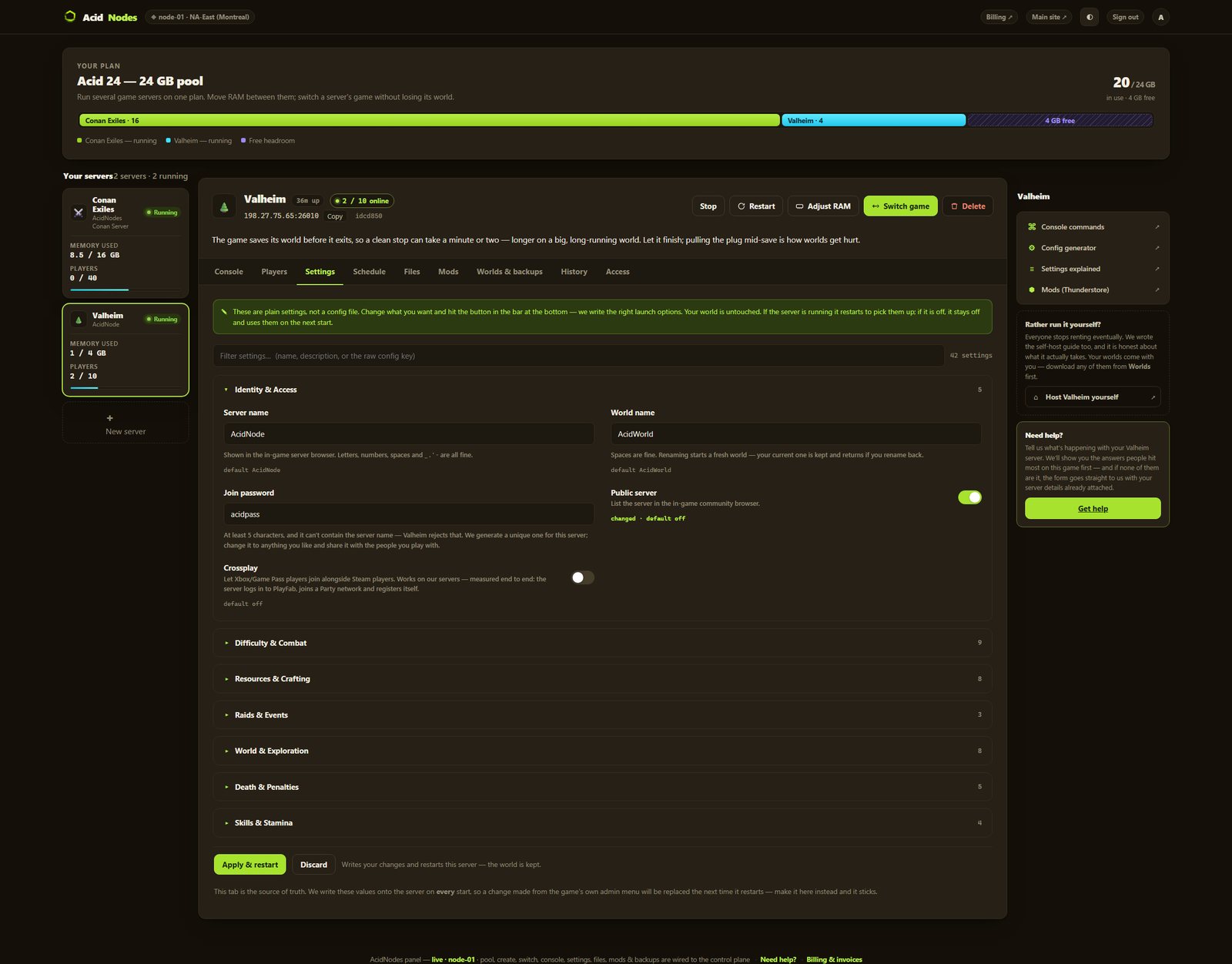
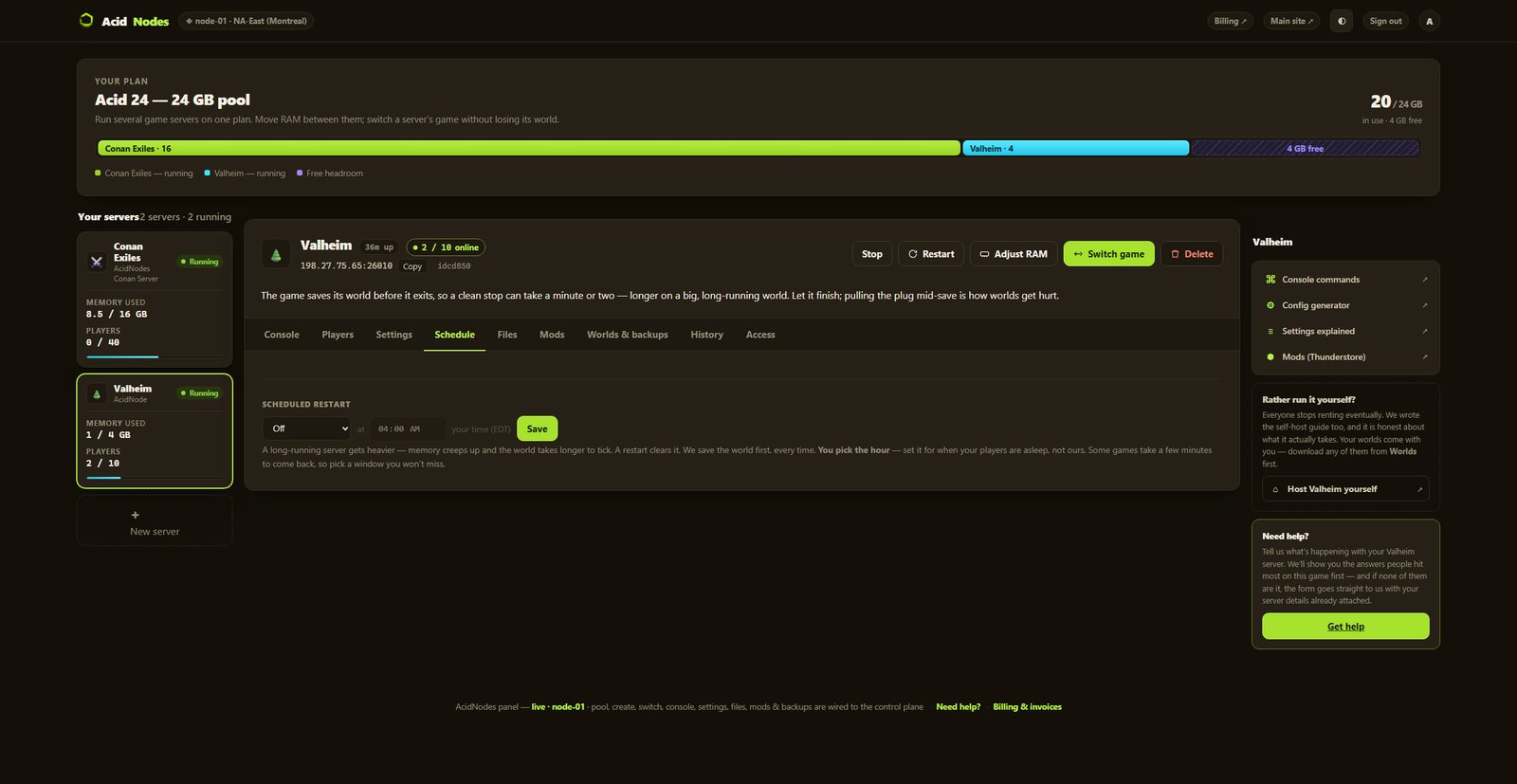
Automatic server install.
47 settings as labeled fields, each with the game’s own default beside it
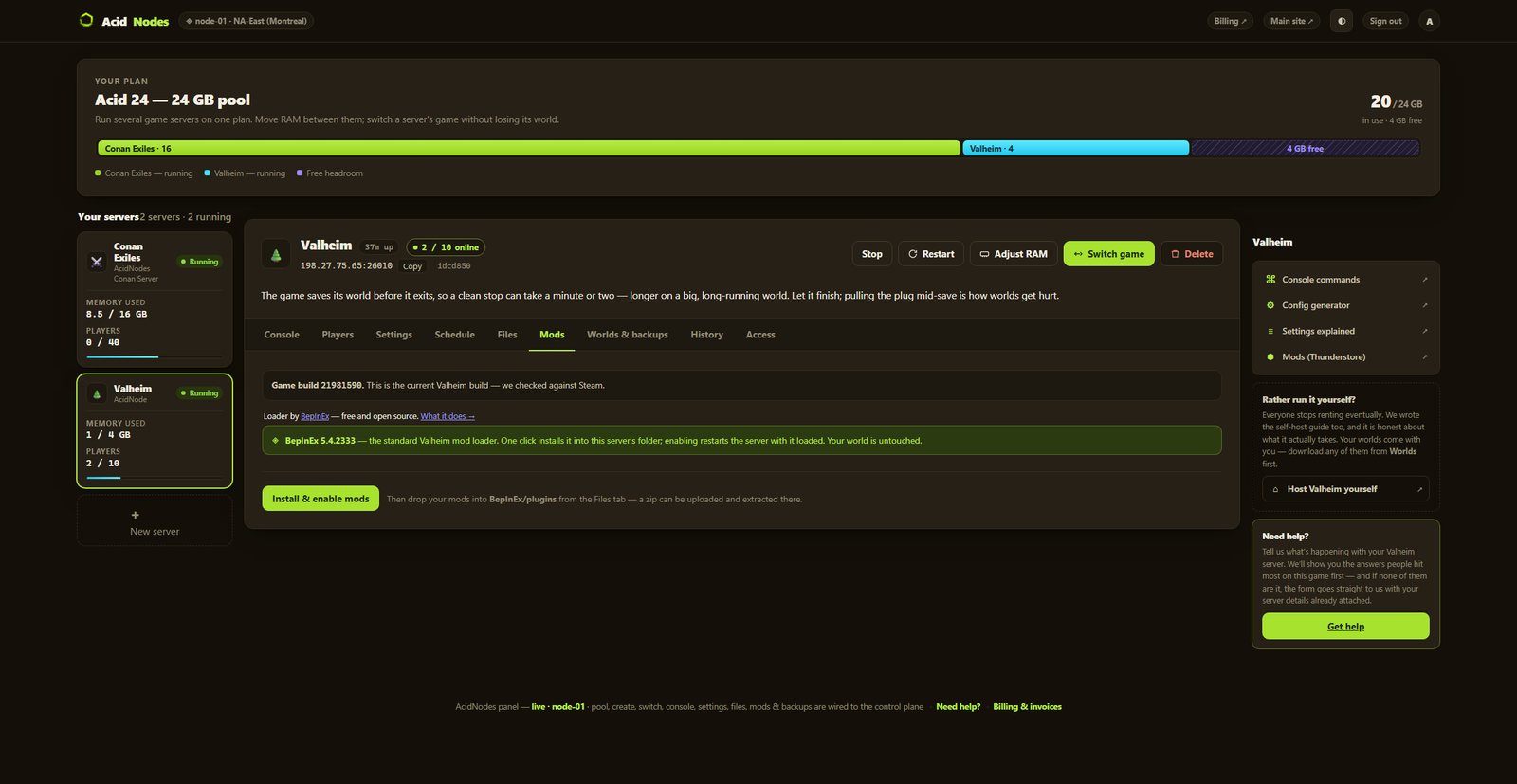
One-click Thunderstore mods, with version pinning
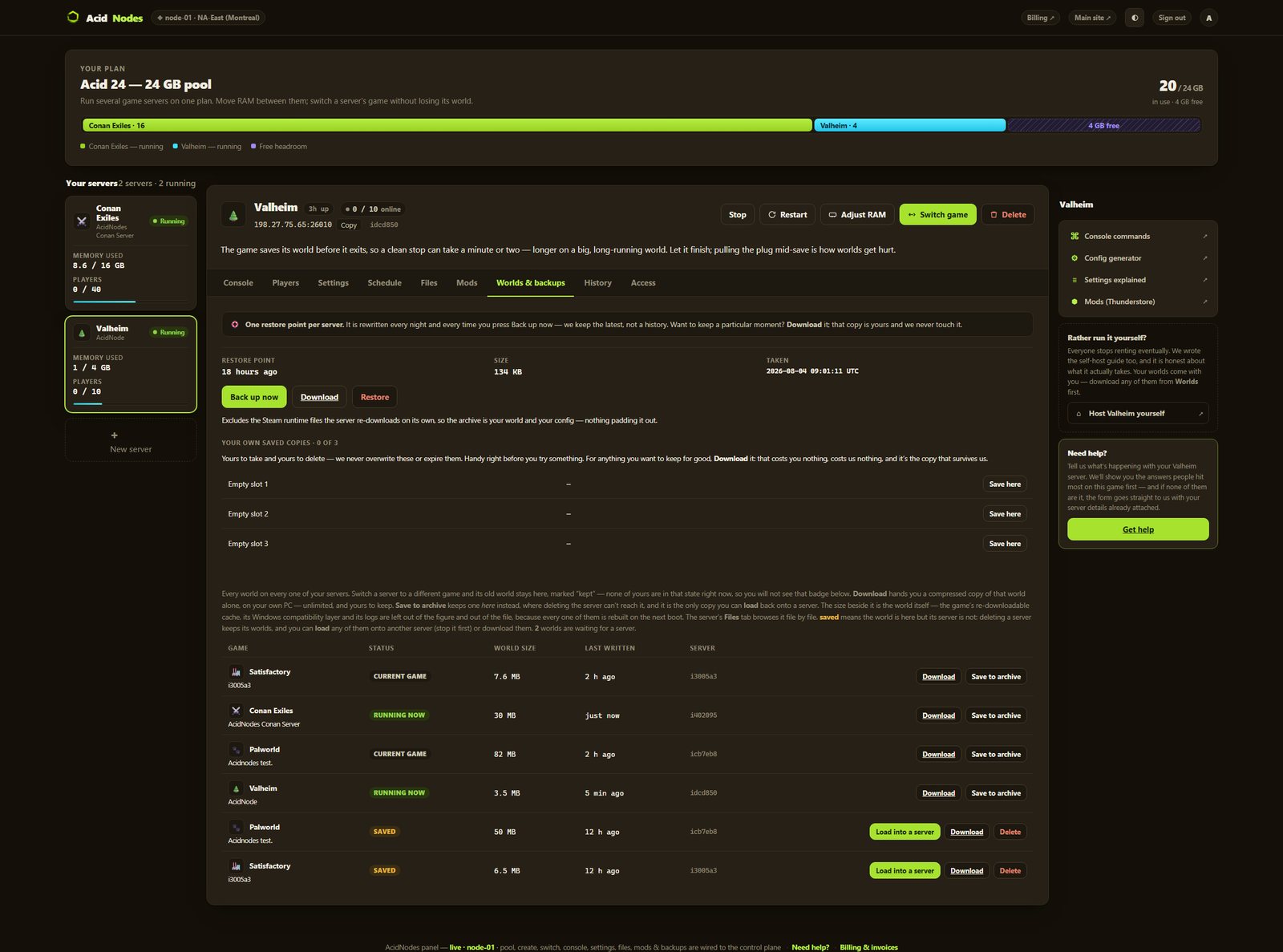
Nightly off-site backups, full file access, and your world downloadable any time
Up to 10 — Valheim’s own cap, on every rung
Small to medium groups, with room to settle in
monthly · no contracts · 72-hour money-back · nightly off-site backups · cancel from the panel
What comes with a Valheim server
All of it on every plan. The rungs differ by memory, not by what you are allowed to do.
Run it from the browser
No SSH, no ticket, no waiting on us.
- ✓Start, stop and restart whenever you like
- ✓Scheduled restarts on a timer you set
- ✓47 settings as labeled fields, with the game’s own default beside each one
- ✓Password your server and see who is on it
- ✓Switch this server to another game and your Valheim world is kept — no charge, no rebuild, switch back whenever
A world that actually saves
The part we found the hard way.
- ✓Bring an existing world in — upload it through the panel file manager (a 1.0 world is a folder; an older one is its .db and .fwl, which the game converts) and keep playing where you left off; it stays yours to download, always
- ✓We save before every stop and before every backup
- ✓Nightly off-site backups — restore or download any of them yourself
Mods, bans and your files
They stick across restarts and updates.
- ✓Add mods through the file manager, or keep it vanilla — your files, your call
- ✓File manager and config editor in the panel
- ✓Share it with a friend — an invite link or their email, for this one server, revoked whenever you like
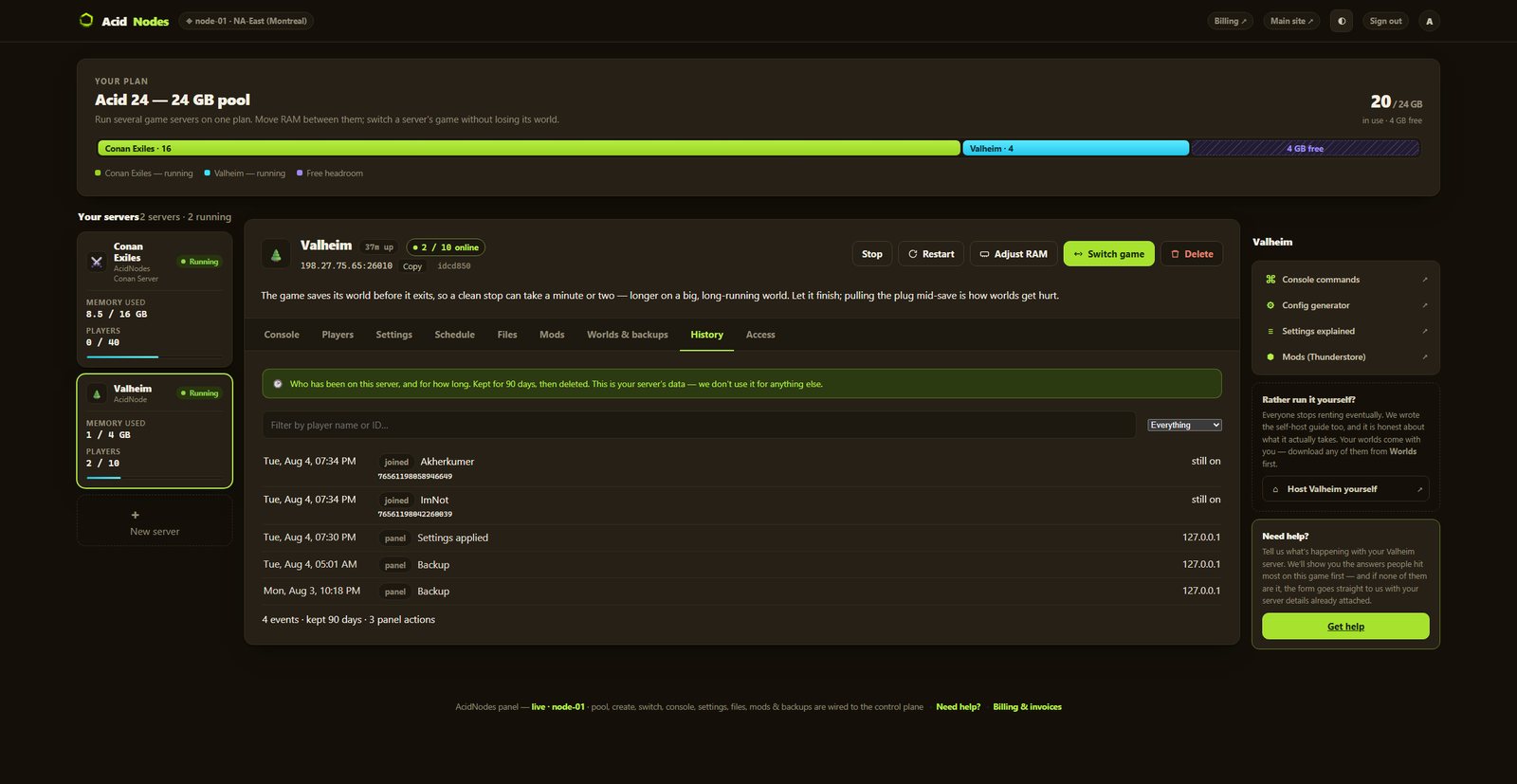
- ✓A history you keep — joins, leaves, power actions and setting changes, stored outside the container so a rebuild cannot erase it
- ✓Bring a world in, or take yours out, whenever you want
The hardware, named
You can go and look every part of this up.
- ✓AMD Ryzen 9 9950X — not “premium hardware”
- ✓NVMe SSD storage
- ✓Dedicated RAM, never oversold — the number is on your receipt
- ✓DDoS-protected network
- ✓Direct game and query ports — no proxy hops
- ✓NA East (Montreal), one location, stated plainly
The config tools we built for self-hosters,
now built into the host.
No files, no SSH, no support ticket to change a value.
Every knob is a field
Combat, raids, portals, death penalty — plus 26 advanced world keys (skill gain, enemy stars, death rules à la carte, fire spread, New Game+) that normally exist only as hand-typed launch flags. Each one a labeled control, checked against a running server before we shipped it. The admin, whitelist and ban lists sit on the Players tab, one Steam ID per line.
The config generator, with a server behind it
We made the Valheim config generator players already use, and this is the same settings surface — except it deploys to a live server instead of handing you a file to upload. We didn’t license a panel.
Your slice is yours
Your RAM is a hard, walled-off allocation — a neighbor literally can’t reach into it, and we never sell the same gigabyte twice — and your CPU share grows with the plan you bought. One location today: NA East (Montreal). More regions when enough of you ask, not to pad a map.
How much RAM does a Valheim server need?
Less than you’d think. A fresh world with a few friends runs in ~2 GB; a mature world with a full group sits around 3–4 GB. Valheim isn’t a memory hog and we’re not going to pretend you need 16. Two things move the number: how much you have built, and how many people are loading different corners of the map at once.
And if you would rather not choose: your RAM is a pool. Size up once and run Valheim and something else side by side on the same plan, with no second bill.
Straight answers, no pitch
How much does Valheim server hosting cost?
From $11/mo for a 4 GB server, $16.50 for 6 GB, or $22 for 8 GB — each a full 10-player world. Size up past that and the spare RAM runs a SECOND game beside it, on the same plan. A fresh world runs comfortably in ~2 GB and a mature one sits around 3–4 GB, so most groups never need the bigger tier. No setup fee, no upsells.
Can I rent a Valheim server instead of self-hosting?
Yes — that's the whole point. You order, it provisions itself and boots, and you get a server to share. No port-forwarding, no leaving your PC on, no SSH — and every setting you'd normally hand-edit is a labeled field in your panel.
What's the best Valheim server hosting?
Honestly, "best" depends on what you want. Ours is for people who want full control without the config-file headache: every world modifier and admin setting is a labeled field in the panel, and it's built by the team behind the GamesOMG Valheim config tools. Your RAM is a hard, dedicated slice — we never oversell the box — and your CPU is a guaranteed share of a Ryzen 9 9950X that grows with your plan, so you get steady ticks and no noisy neighbors.
Do I need to know config files or SSH to run it?
No. You never touch a config file or open a terminal. World modifiers, difficulty, raids and portals are labeled controls in your panel, and the admin, whitelist and ban lists are edited on the Players tab — one Steam ID per line. Change what you want, hit deploy, and the world restarts with your exact settings.
Does the panel really expose every Valheim world setting?
Every official world modifier and server flag, plus 26 advanced world keys — the -setkey surface most players have never seen: skill gain rate, enemy star rates, death penalties à la carte, fire spread, New Game+ world level. Each one is a labeled field, and we verified the server starts with it applied before listing it. Turning a key back off reverts the world to vanilla. If you find another panel that goes this deep, we'd genuinely like to see it.
Can I run mods on a Valheim server?
Your server's files are yours — you can add mods through the panel's file manager, or keep it vanilla; your call. Either way your RAM is a hard, dedicated slice a neighbor can't reach, and your CPU share is sized to your plan, so we never oversell the box.
Can I change settings after the server is running?
Any time. Open your panel, change a setting, hit deploy. There's no "submit a ticket to change a value" — the whole settings surface is yours.
Does Valheim server hosting support crossplay so console friends can join?
Yes — crossplay is a labeled toggle in your panel. Flip it on, restart, and Xbox / Game Pass friends join with the in-game code. Flip it off for a Steam-only world. Either way it's your call, not a ticket.
Can I move my existing Valheim world to GamesOMG Hosting?
Yes — upload it through the panel's file manager into the worlds folder, then set World name to match. A world saved by Valheim 1.0 is a folder: zip it, upload the zip, hit Extract. An older world is a .db and .fwl pair, and the game converts it the first time it loads. It works the other direction too: your world files are always yours to download. Exit insurance, included.
Do you back up my Valheim world?
Yes — every night, automatically, to off-site storage on a separate network from your server (Cloudflare R2). You get last night's copy, two more we take for you before any game update, and three slots you fill yourself — six restore points, any of them one click to roll back or download, no ticket, no waiting. On by default, no extra cost, nothing to configure.
Does my Valheim server restart on its own?
Only if you want it to. We built one-click scheduled restarts into the console — off, daily, or every 12 hours, at a time you pick in your own local time — so a long session never leaves the world sluggish and nobody has to remember. Crash-restart is on by default too, so a server that falls over comes back on its own, and you can always hit restart yourself.
Where are the Valheim servers located?
NA East (Montreal) — on an AMD Ryzen 9950X with NVMe storage, a DDoS-protected network, and direct game ports (no Cloudflare proxy adding hops). One location today; more regions when enough people ask, not to pad a map.
How much RAM does a Valheim server actually use?
Less than you'd think. A fresh world with a few friends runs in ~2 GB; a mature world with a full group sits around 3–4 GB. Valheim isn't a memory hog — we're not going to pretend you need 16.
What makes a Valheim server use more RAM?
Two things: how much you've built (every structure and item is an object the server has to simulate), and how many players are loading different corners of the map at once. A sprawling megabase with 10 people exploring everywhere is the heavy case; your usual crew on a normal world isn't.
Then why offer 4 GB and 6 GB tiers?
4 GB genuinely covers the large majority of worlds — it's not a stripped tier, it's enough for most groups. 6 GB is for the headroom cases: big, heavily-built worlds and consistently-full 10-player lobbies. We allocate on the generous side on purpose, so your server isn't scraping the edge of what you paid for.
Which Valheim plan should I get?
Probably Game - 6 — we'd rather say that than upsell you. Go Game - 8 if you're running a big established world, planning a huge base, or regularly filling all 10 slots. And if you start on Game - 6 and outgrow it, moving up is painless — so don't over-buy "just in case."