Icarus hosting that doesn’t switch itself off.
Icarus ships with two shutdown timers set to five minutes — empty your server, walk away, and a stock host hands you what looks like an outage. Ours keep the server up: the startup timer is off, and the empty timer sends the server back to its lobby after a minute — that return is the only save Icarus makes on the way out, so we tell you it exists rather than switch it off. On a Ryzen 9 9950X, from $22/mo for 8 GB of guaranteed dedicated RAM, measured at 3.50 GB with a real Olympus world loaded before we priced it. The game caps co-op at 8 players, so nobody here sells you slots.
- ✓Backed up nightly, off-site — restore or download them yourself.
- ✓Every file is yours — file manager and config editor in the browser.
- ✓Share the server, not your account — and take the keys back anytime.
- ✓Switch games later, keep the world — your RAM is a pool.
Automatic server install.
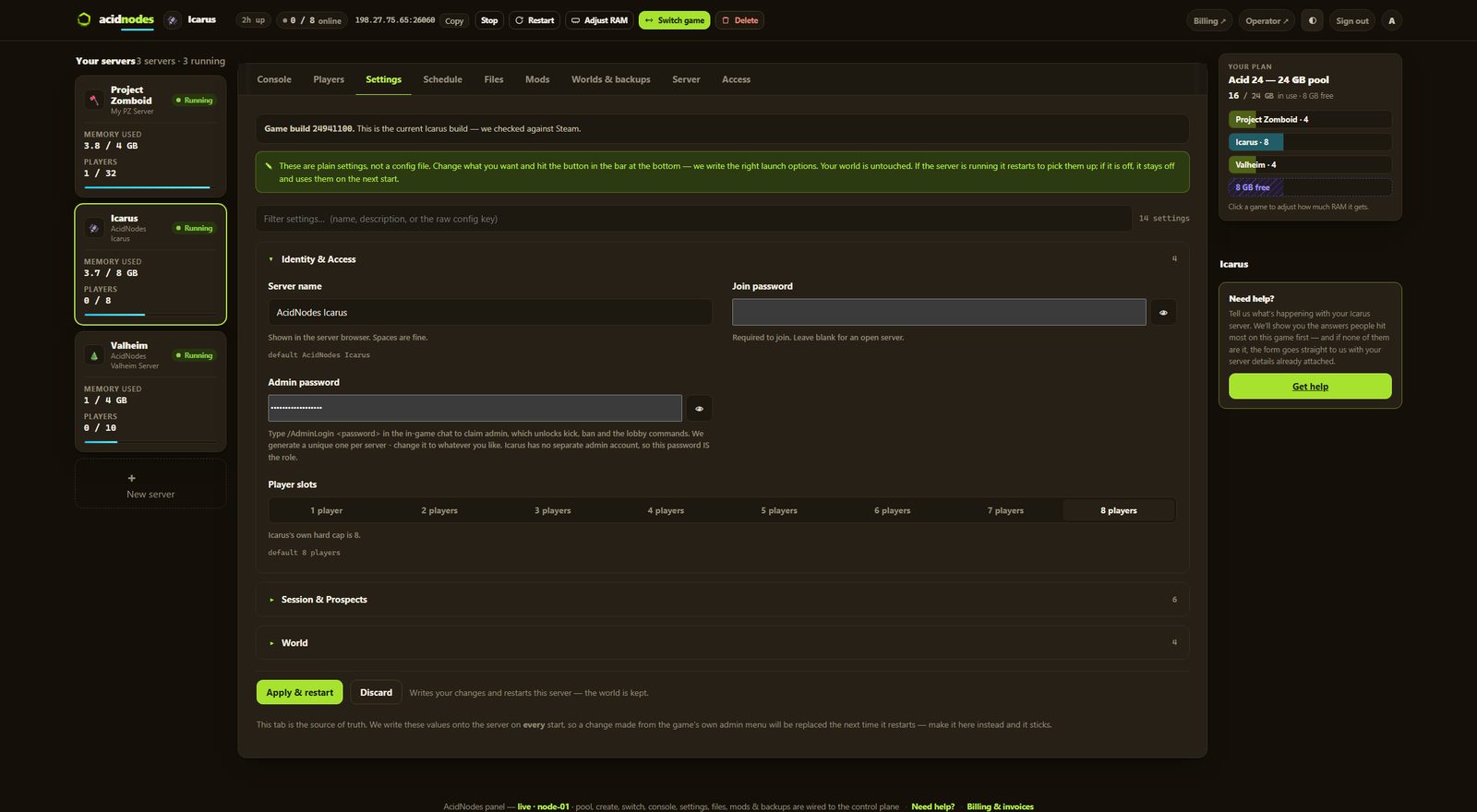
14 settings as labeled fields, each with the game’s own default beside it
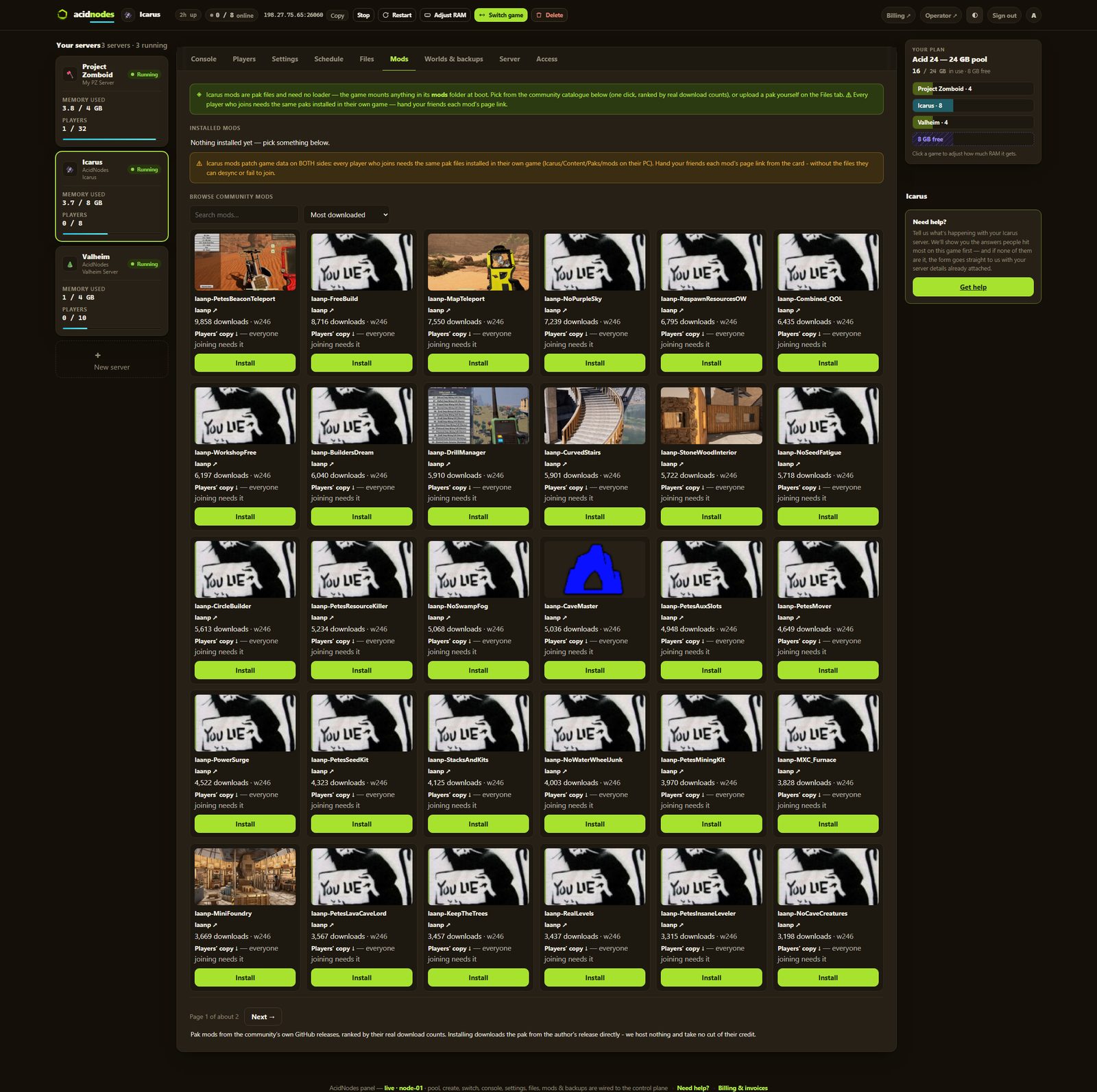
One-click community paks — no loader to set up
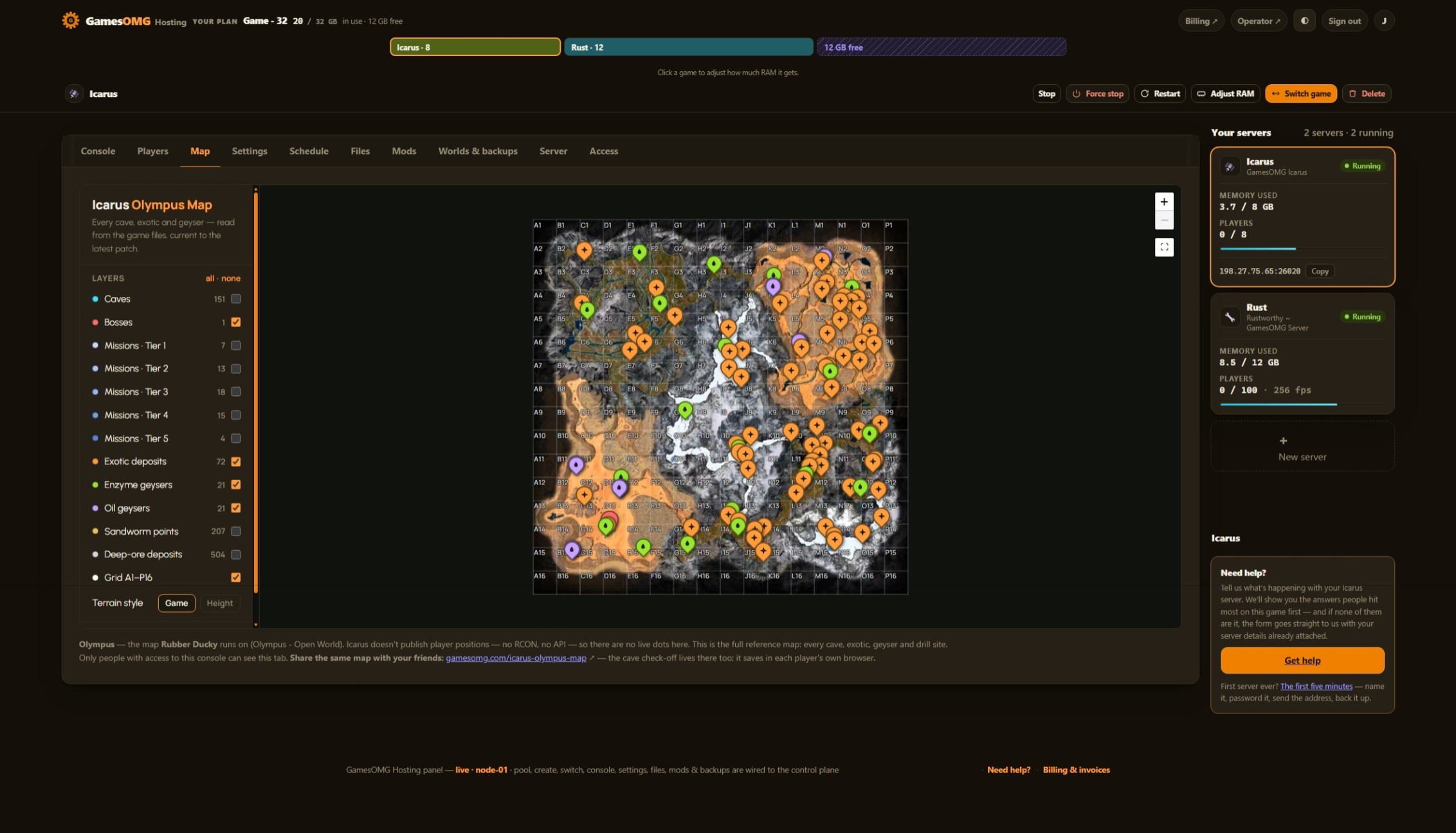
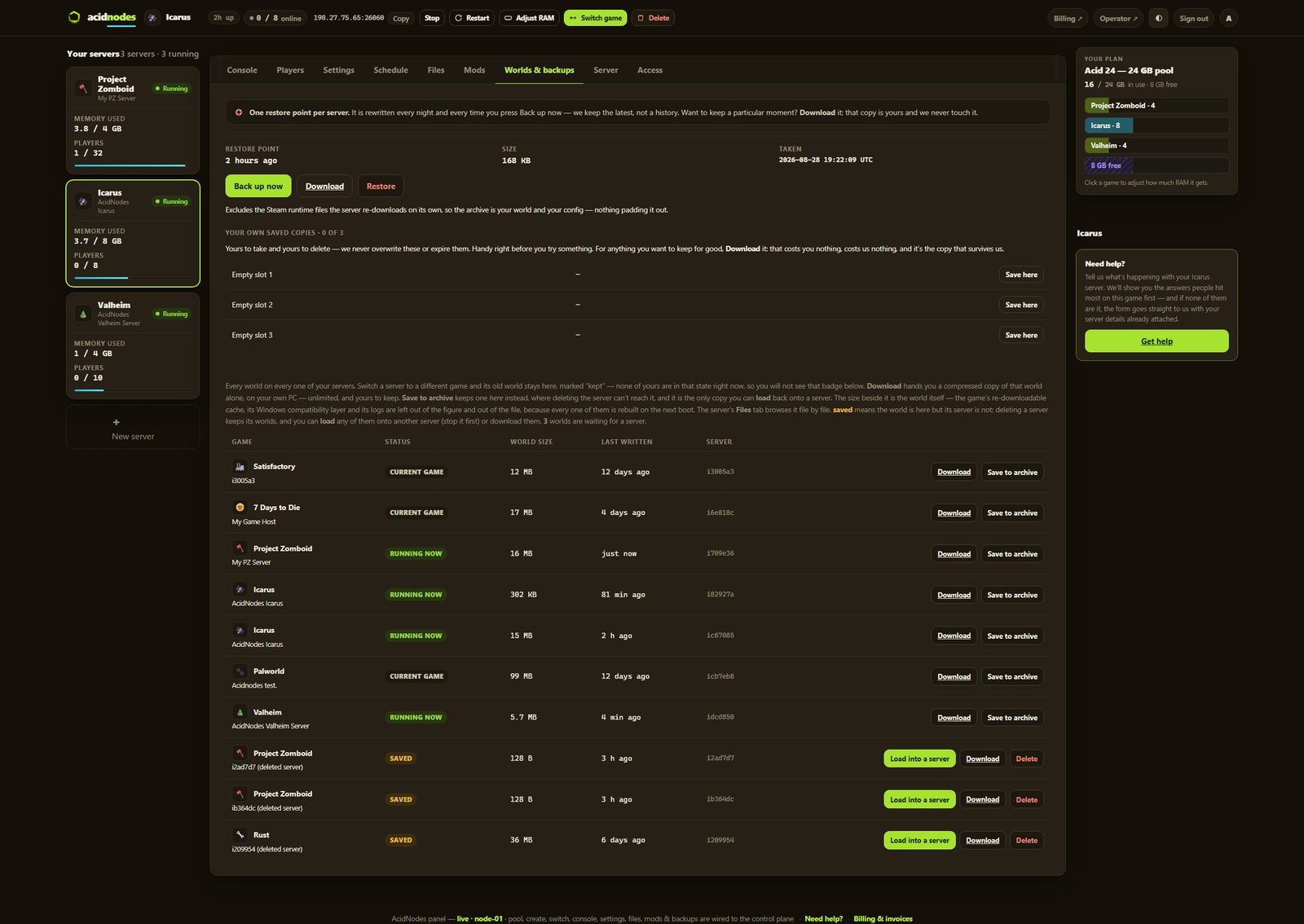
Nightly off-site backups, full file access, and your world downloadable any time — plus the map in your panel
Up to 8 — Icarus caps co-op itself, so nobody should be selling you slots
Small groups and fresh worlds — the smallest box we would run this on
monthly · no contracts · 72-hour money-back · nightly off-site backups · cancel from the panel
What comes with an Icarus server
All of it on every plan. The rungs differ by memory, not by what you are allowed to do.
Run it from the browser
No SSH, no ticket, no waiting on us.
- ✓Start, stop and restart whenever you like
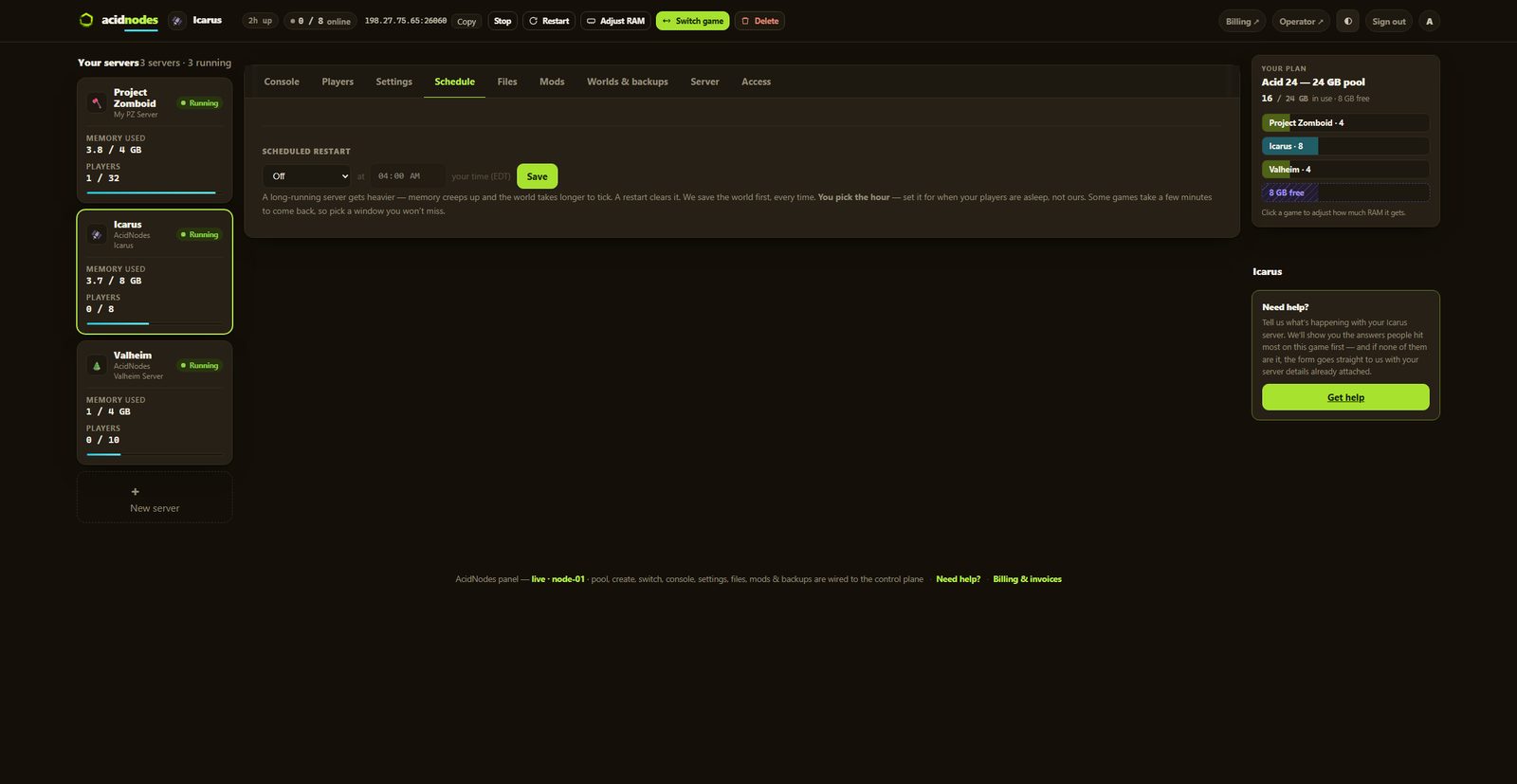
- ✓Scheduled restarts on a timer you set
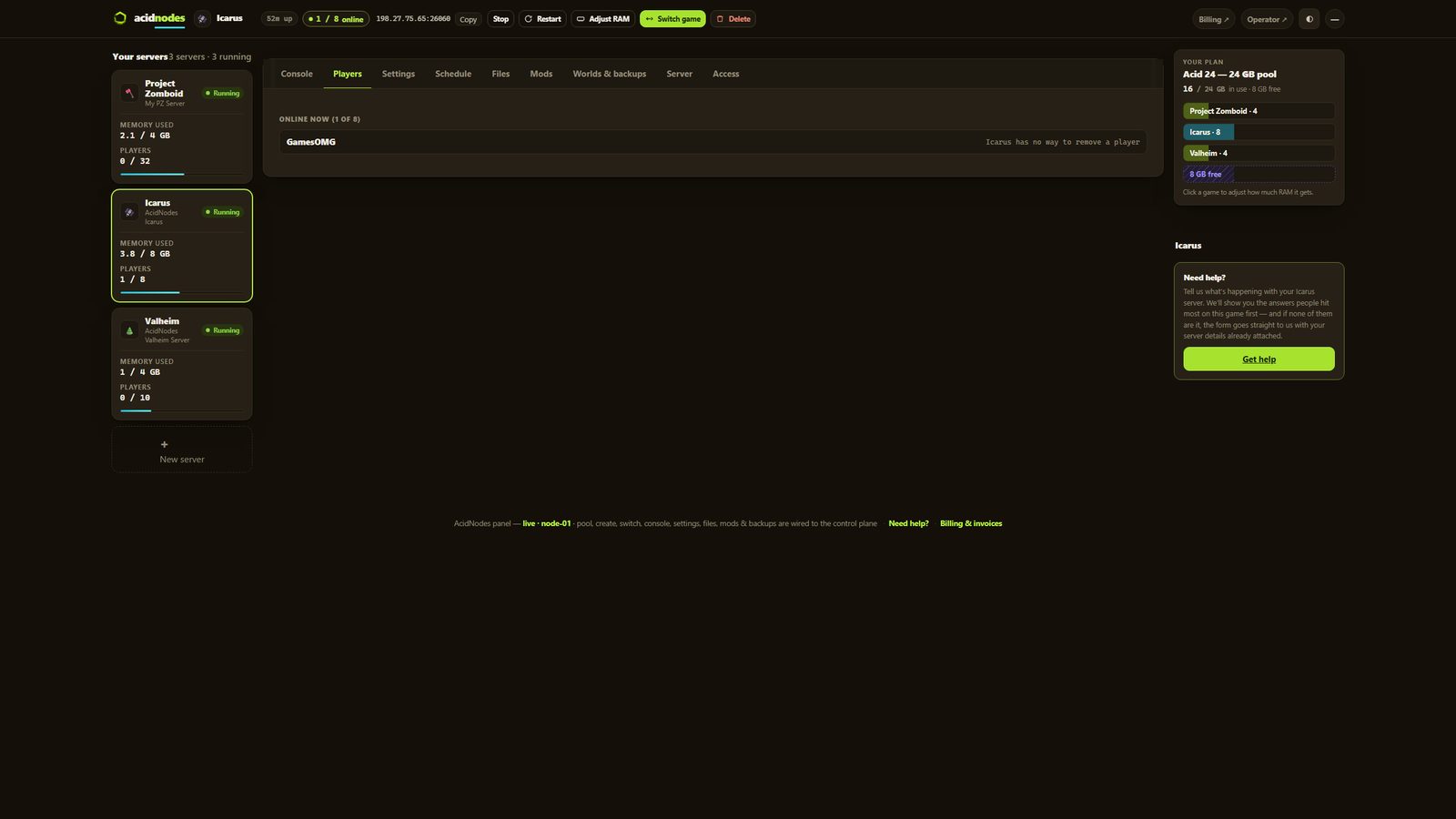
- ✓Password your server and see who is on it
- ✓Switch this server to another game and your Icarus world is kept — no charge, no rebuild, switch back whenever
A world that actually saves
The part we found the hard way.
- ✓Nightly off-site backups — restore or download any of them yourself
Mods, bans and your files
They stick across restarts and updates.
- ✓The GamesOMG QOL Stack — 25 switches built from this week’s own game files, no other mod inside: Remove weight · Inventory slots · XP boost · Bigger stacks · Faster crops · Crafting speed · Food buff duration · Slower spoilage · Hunger, thirst & oxygen · Stamina use · Tool & armour durability · Armour protection · Building health · Weather · Taming speed · Breeding speed · Carry weight · Creature XP · Movement speed · Mount speed · Gathering yield · One-hit gathering · Renewable power · Torch & lantern time · Free build
- ✓It rebuilds itself when Icarus patches — a pak made for last week’s files stops working on the new build; the Stack is rebuilt for the new build as your server comes back up
- ✓A download page for your players — everyone who joins needs the same file, so your server gets a link that always hands out the exact one it runs
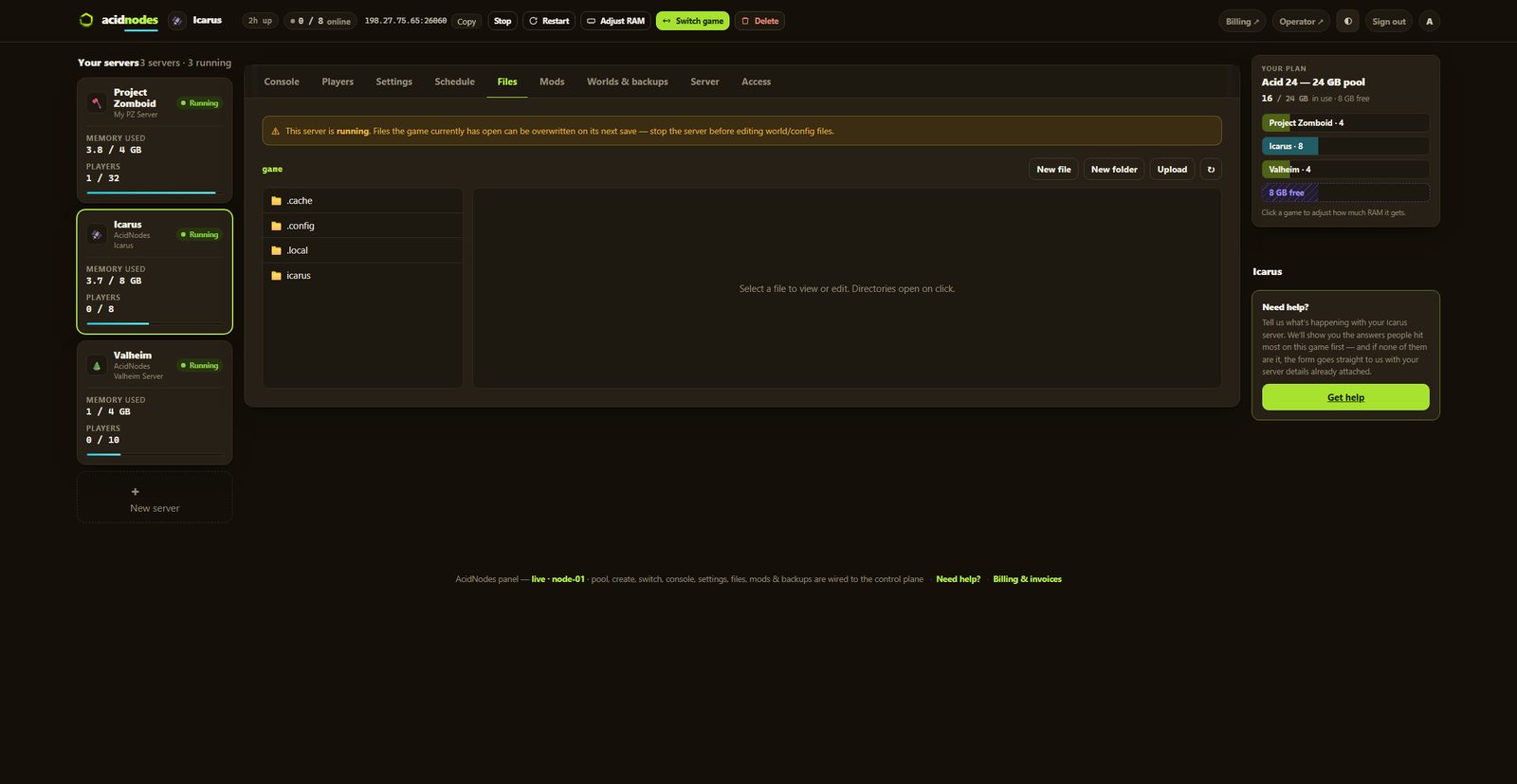
- ✓File manager and config editor in the panel
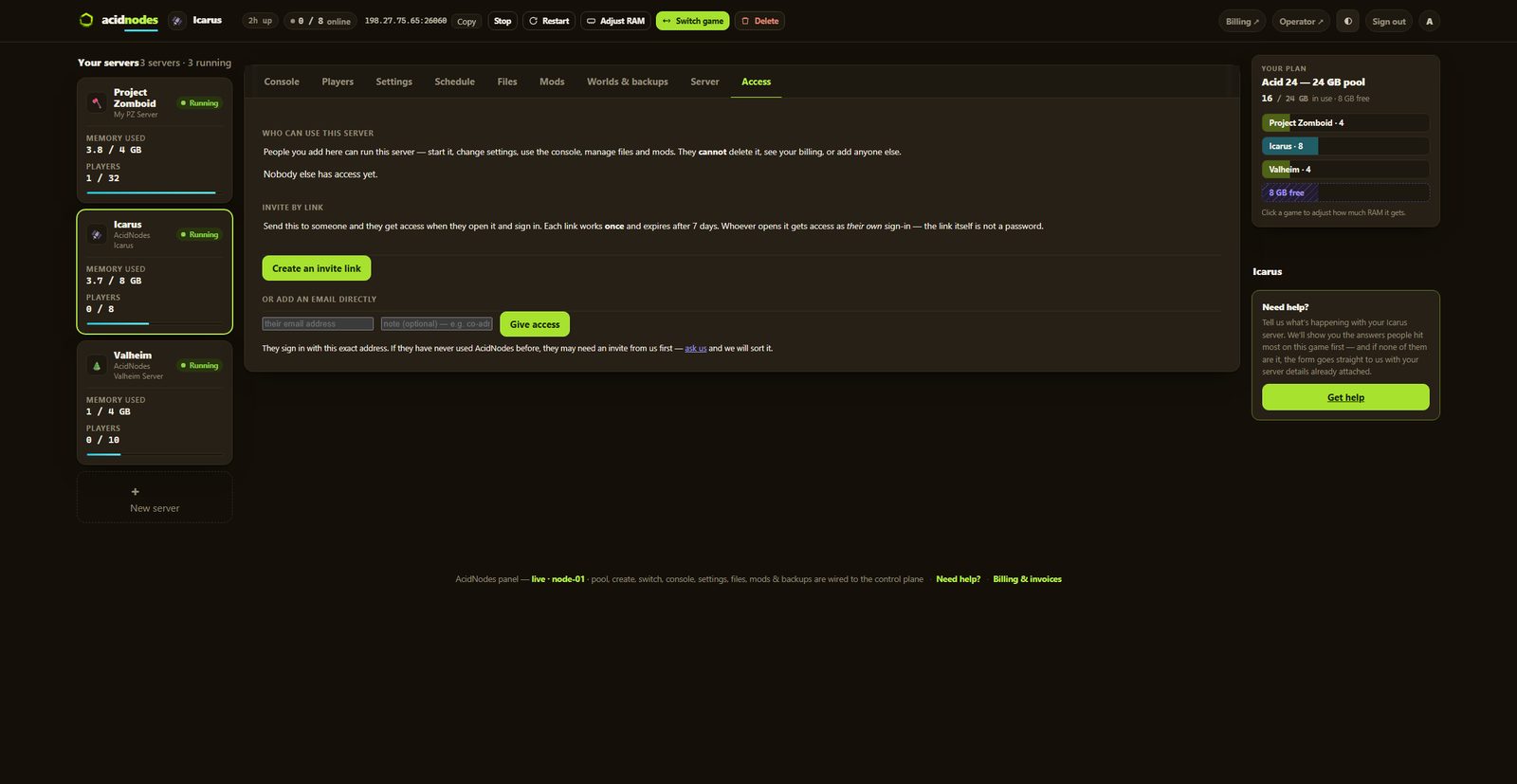
- ✓Share it with a friend — an invite link or their email, for this one server, revoked whenever you like
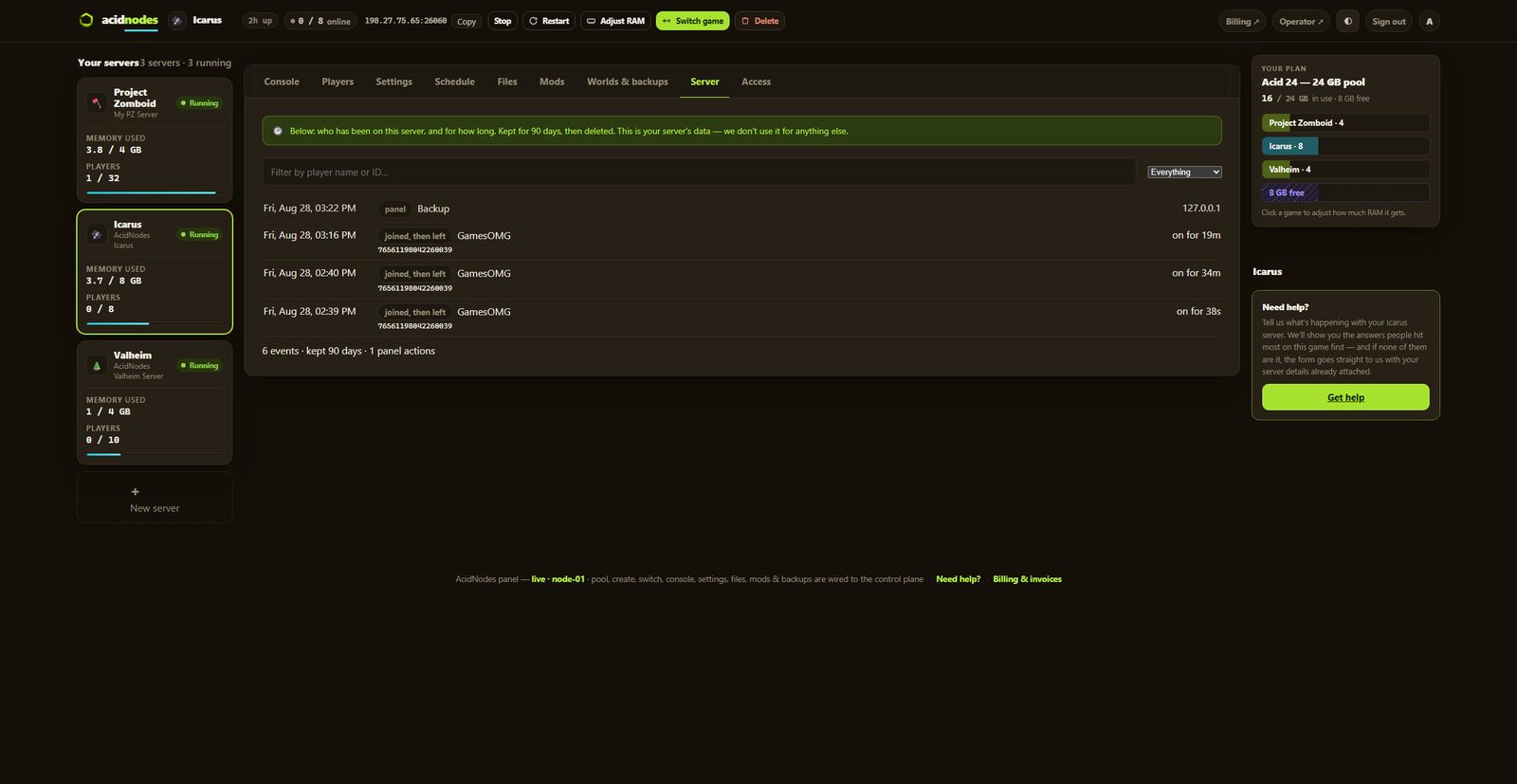
- ✓A history you keep — joins, leaves, power actions and setting changes, stored outside the container so a rebuild cannot erase it
- ✓Discord notifications — crashes, restarts, updates and who changed what, sent to your own channels, each one getting only what you switch on
- ✓Bring a world in, or take yours out, whenever you want
The hardware, named
You can go and look every part of this up.
- ✓AMD Ryzen 9 9950X — not “premium hardware”
- ✓NVMe SSD storage
- ✓Dedicated RAM, never oversold — the number is on your receipt
- ✓DDoS-protected network
- ✓Direct game and query ports — no proxy hops
- ✓NA East (Montreal), one location, stated plainly
Measured on our own node,
including the parts that make us look worse.
The memory floor, the shutdown defaults and the gaps in what we support were all decided on our own server — and the reasoning is published.
Saves when the last player leaves.
Icarus has ShutdownIfEmptyFor and ShutdownIfNotJoinedFor, both 300 seconds by default, and when one fires the server saves and drops back to its lobby. That return is the only save Icarus makes on the way out — a stop or restart cannot trigger one — so we set ShutdownIfEmptyFor to 60 seconds: a minute after everyone leaves, the world is on disk and a restart loses nothing. A Stop pressed inside that minute waits for the save instead of killing it. ShutdownIfNotJoinedFor stays at -1. Both are labeled fields on the Settings tab, with what each value does.
3.50 GB with a world — so we sell 8.
Every host will tell you Icarus needs 8 GB. We can tell you what we read off the kernel on our own booted server: an Olympus open world with nobody on holds 3.50 GB unreclaimable, the same world with a player on it 3.71 GB. So the world is the cost and a player is about 200 MB. We also publish the number that would flatter us and mislead you — an Icarus server idling in its lobby with no world loaded reads 1.01 GB — because pricing off a lobby is how a 4 GB plan gets sold for a game that cannot run one.
No console — said plainly.
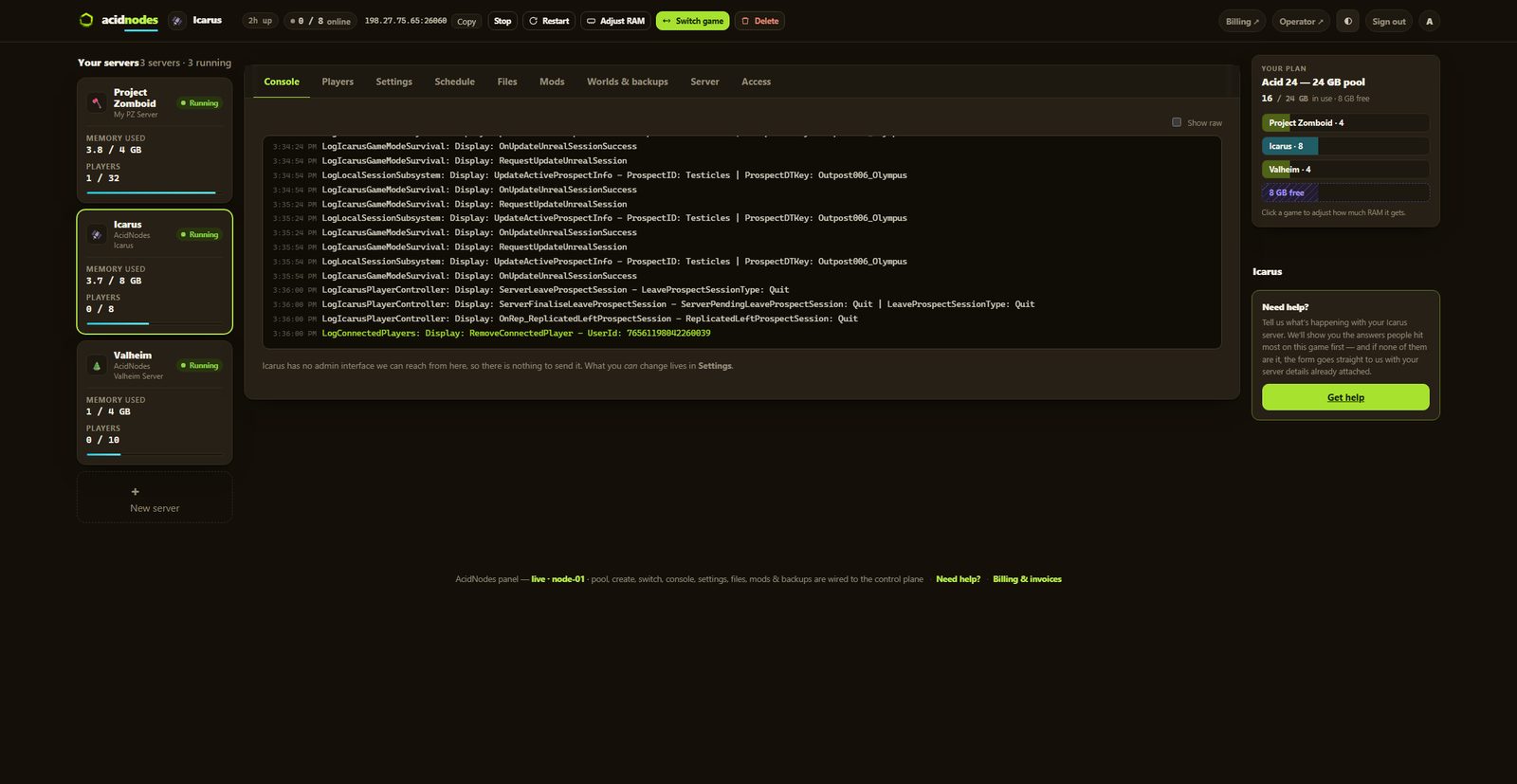
Icarus has no RCON, so admin commands are typed in-game, and we generate a unique admin password per server rather than shipping a shared one. Put your Steam ID on the server’s auto-admin list in the panel and you are admin the moment you join, no /AdminLogin. Worth more to you stated up front than discovered after you pay — you get the live log, power, backups, the file manager, mods, a player count from the game’s own query port, and every documented server setting as a labeled field.
How much RAM does an Icarus server need?
An Olympus open world with nobody on holds 3.50 GB of unreclaimable working set on our own node, and 3.71 GB with a player on it — the world is the cost, a player adds roughly 200 MB. So the plan starts at 8 GB at $22, which is a full 8-player session with room to build. 12 GB is the rung for a long-running open world you intend to keep, or Icarus plus a second game in the same pool. ⚠ The number you will not see us price off: an Icarus server sitting in its lobby with no prospect loaded reads just 1.01 GB. That is the cost of the process, not the cost of hosting a world, and it is exactly how an undersized plan gets sold.
And if you would rather not choose: your RAM is a pool. Size up once and run Icarus and something else side by side on the same plan, with no second bill.
Straight answers, no pitch
How much does an Icarus server cost?
From $22/mo for 8 GB of guaranteed dedicated RAM, $32 for 12 GB, $41 for 16 GB or $59 for 24 GB. No setup fee, and no slot pricing — which matters more on this game than most, because Icarus itself caps co-op at 8 players. A host charging you per slot is charging you for a limit the developer already set.
How much RAM does an Icarus server need?
We measured our own, off the kernel rather than a padded dashboard figure. An Olympus open world with nobody on: 3.50 GB unreclaimable working set. The same world with a player on it: 3.71 GB — so the world is the cost and a player adds roughly 200 MB. An Icarus server sitting in its lobby with no world loaded holds only 1.01 GB, and we publish that number here rather than quietly pricing off it, because a lobby is not a game. 8 GB is the honest floor.
Why does my Icarus server keep shutting itself down?
Because Icarus ships that way, and almost nobody tells you. The game has two settings — ShutdownIfEmptyFor and ShutdownIfNotJoinedFor — and both default to 300 seconds. When one fires, the server saves, unloads the prospect and drops back to its lobby. It is still up and still in the server list, but the next player has to load the prospect from the lobby instead of walking straight in, and on a stock server that reads exactly like an outage. We ship ShutdownIfNotJoinedFor at -1 (never) and ShutdownIfEmptyFor at 60 seconds, and the second one is on purpose: going back to the lobby is the only time Icarus saves on the way out. A stop or restart cannot make it save, so a server that never returns to the lobby loses whatever was played since its last autosave. Both are labeled fields in the panel.
How do I start a world — open world or a mission?
You pick it in-game, on the first join. Your server boots to the Server Lobby, you connect, and you choose the prospect — an open world like Olympus or Styx, or one of the timed missions — along with its difficulty. That is Icarus’s own design, not a limitation of ours, and it means nobody has to upload a save or ask support to generate a world. We leave anyone can start a prospect switched on by default; turn it off in Settings if you want that to be admin-only.
Can I play the DLC maps — Styx, Prometheus, Elysium?
Yes, and there is nothing extra to buy from us. We checked our own server image rather than repeating what other hosts say: all four maps ship inside the base dedicated-server download, so our servers can already run Styx, Prometheus and Elysium and there is no DLC surcharge on any plan. The map is not a server setting at all — it lives inside the prospect, and the prospect is created in-game, so whoever starts it has to own that DLC on their own Steam account. ⚠ Assume everyone who wants to join needs to own it too. We have not tested a mixed group yet, and we would rather warn you and turn out to be wrong than have you buy a plan your friends cannot play on — when we have tested it, this answer will say what we found. One thing worth knowing either way: if the server owner does not own the DLC but a friend does, that friend can only start the prospect while Anyone can start or load a prospect is left on in your settings.
How do I join my server?
Two ways, and both work. Paste the address from your panel into Icarus’s direct-connect box — the game looks the server up, shows you its details, and you click Join. Or find it in the in-game Dedicated Servers browser (HAB → Join Session → toggle top-right). ⚠ One honest warning about this game: a first connection attempt failing and the second succeeding is normal Icarus behaviour, widely reported and not specific to any host. If it drops you once, try again before assuming the server is down — and check the panel, which shows a live player count read from the game’s own query port.
My server isn’t showing up in the in-game server browser — is it down?
Almost certainly not, and this one is the game, not the host: the in-game browser loads a few hundred entries out of 1,200+ live servers, so any given server appears on the list sometimes and not others. We have watched our own server vanish from the browser while people were playing on it. Use direct connect — paste the address from your panel and the game resolves your server through Steam every time. The browser is a shop window, not the door. And after a start or restart, give it about five minutes: the server registers with Steam right away — we have watched it appear in Steam’s own registry — but the listing and direct-connect resolution take a few minutes to propagate, and that lag is Steam’s, not the server’s. If direct connect still fails after that, check the panel: it shows a live player count read from the server itself, which settles “is it actually up” in one glance.
How do updates work? Icarus patches nearly every week.
This game enforces version lockstep: the moment Steam updates your client, a server on the old build refuses the join — which makes update discipline the single most important thing an Icarus host does, and the most common complaint about self-hosting. The build side is automatic: Icarus patches land on Thursday evening, UTC, and we detect the patch, build the new server image, boot it and prove it actually answers before it is allowed anywhere near your server. Then your panel says a newer build is ready, and you press Update with your crew off — an update is a stop, and a stop does not save Icarus. Your world is snapshotted before every update touches it, so a bad patch day costs you nothing.
Does Icarus save automatically, and can I force a save?
It saves on its own: every 10 minutes while people play (GameSaveFrequency), when a player joins, and a minute after the last player leaves, when it closes the prospect and goes back to its lobby. What it does not do is save when the panel stops it — no stop signal reaches the game under Wine, so a Stop, a restart or an update with people on costs up to the last 10 minutes. We measured that on our own server rather than trust the setting’s name. So empty the server and give it the minute; press Stop inside that minute and the panel waits for the save before it stops. There is no force-save button for Icarus in the panel, and we would rather say that than imply one: the game exposes no admin channel we could send it through. Take a backup from the Worlds & backups tab if you want a point you can return to.
Why does an Icarus server stutter or lag sometimes?
Mostly the game, and it helps to know which part. Icarus writes its autosave on a timer — ten minutes by default, a labeled setting in your panel — and a heavily-built world hitches while that write happens, because the save tracks every stump you cleared and every rock you moved. The developer’s own issue tracker has an open report of busy worlds freezing briefly during saves. What genuinely helps: a longer save interval if the hitching bothers you, and an occasional restart, because Unreal servers slowly grow their memory use over days of uptime and a restart hands it back. What does not help is more RAM — our 8 GB floor already has measured headroom over a full server.
Where is my world actually stored, and can I download it?
One JSON file per prospect, in Saved/PlayerData/DedicatedServer/Prospects — open the file manager and you are looking at it, and you can download it whenever you like. Two warnings straight from the developer’s own documentation: never rename the file (the name is part of the save — renaming corrupts it), and never upload or edit while the server is running — stop it first. The Worlds & backups tab covers the same file automatically on a schedule, plus a snapshot before every game update.
Can I move my existing co-op world onto the server?
Yes — and if your group has hundreds of hours in a world someone hosts from their PC, this is the whole reason to rent: the world stops depending on one person’s computer being on. Your local prospect lives at %localappdata%\Icarus\Saved\PlayerData\<steam id>\Prospects on the host player’s PC — one JSON file named after the prospect. Stop your server, upload that file into Saved/PlayerData/DedicatedServer/Prospects with the file manager — keeping the filename exactly as it is — start the server and load it from the lobby, or set Always load this prospect in Settings. Characters, levels and talents live with each player’s account rather than in the world file, so everyone keeps their progress.
What ports does Icarus use?
Two UDP ports, and we allocate and publish both for you — a game port and a query port — so there is nothing to forward and nothing to configure. Worth knowing if you have read the setup guides, because it surprises people: Icarus never opens the game port for direct traffic — we watched a successful join land while that port carried literally zero packets. The address is a lookup, not a pipe: the game resolves your server through Steam from it and the play traffic goes over Steam’s own transport. That is why pasting the address works, why there is nothing for you to port-forward, and why a port checker pointed at the game port will tell you your server is down when it is fine.
Can I use Icarus mods?
Yes — one click. Your panel’s Mods tab lists the community’s pak mods ranked by their real download counts from the authors’ own GitHub releases; installing downloads the pak from the author’s release directly into your server’s mods folder — we host nothing and the credit stays theirs. Restart and it’s live: we verified the game mounting a pak through that exact folder in its own log before shipping the button. Your mods live in your save volume, so they survive game updates and ride your backups. One honest warning, said everywhere it matters: every player who joins needs the same pak files installed on their own PC. The full walkthrough — by hand, configuring, troubleshooting — is at Icarus server mods.
Does the panel have a console for Icarus?
Not one that reaches the game, and that is the game rather than us. Icarus has no RCON — its admin commands (/KickPlayer, /BanPlayer, /AdminSay) are typed into in-game chat by an admin, and there is no channel a panel can send them down. What the panel does instead is make you that admin: put your Steam ID on the Auto-admin list on the Players tab and, from the server’s next restart, you are admin the moment you join — no /AdminLogin. Anyone else logs in with the unique admin password we generate per server, so that door is never left open. You get the live log, power controls, every setting as a field, the file manager, backups and a player count — but the admin commands themselves happen in-game on this title.
Can I whitelist players, or is a password the only gate?
A password is the only join gate Icarus offers — there is no join whitelist in the game, so if you don’t want strangers, set Join password in Settings; the in-game browser shows your server to everyone either way. What the game does have is the reverse: an admin allowlist. A file called AdminWhitelist.txt in the server’s Saved folder takes one Steam ID per line, and those players get admin automatically on join with no password typed in chat — and you never have to open the file: the Auto-admin list on the Players tab edits it for you (or press Make admin beside a player who is online), and a change applies from the server’s next restart. Bans are typed in game, and /BanPlayer only reaches a player who is connected right now: against someone who already left, by Steam ID or by name, it answers “Failed to find player” (we tried both). The game keeps a saved ban list, and /UnbanPlayer is the way back out.
Which server settings can I actually change?
All of them that do anything. Icarus’s dedicated server reads sixteen keys from its config, and every one that is safe to touch is a labeled field in the panel: server name, join and admin passwords, player slots, both shutdown timers, prospect resume and load, who may start or delete prospects, fibre and stone regrowth, the autosave interval, and save-on-exit. The three we hold back have their reasons printed right next to them: one does nothing (SessionName — the name really travels on the command line), one would create a brand-new world on every boot (CreateProspect), and one is state the game writes for itself (LastProspectName). We diff our panel against the file the game itself writes, on every deploy, so this claim is checked by a machine rather than remembered by a person.
I found a cheaper Icarus server — why should I pay more?
Ask them how much RAM you get. Most of the time nobody can tell you, including their support, because the plan is sold in “slots” and a slot has no size. Then ask where their 8 GB figure came from. Every Icarus host quotes it — but RocketWerkz never published a dedicated-server requirement at all. The 16 GB on the Steam page is what the GAME needs on your own PC, not what a server needs. So 8 GB is a number the hosting industry copied from itself, and we could not find a source for it. We measured ours instead: an Olympus open world holds 3.50 GB with nobody on and 3.71 GB with a player, read off the kernel on our own node. That is why we sell 8 — the measured floor with real headroom on top, rather than a figure we inherited. They sell “slots” or “players” instead, and a slot price cannot be compared to anything: there is no number to divide. That is not an oversight, it is the design. We sell RAM by the gigabyte, we publish the floor we measured on our own server, and you can do the arithmetic on us — which also means you can do it on anyone else who is willing to show you the number. ⚠ And it matters after you buy, not just before: when a slot-priced server starts stuttering, there is no figure you can check and nothing you can hold anyone to.
Can PS5 or Xbox players join my server?
No — and we would rather tell you before you pay than after. Icarus: Console Edition (March 2026) has no crossplay with PC and no dedicated-server support at all: console sessions only exist while the host’s console is running. A rented Icarus server is for the Steam PC edition only. If RocketWerkz changes that, this answer changes the same week.
Is there free Icarus server hosting?
Not really, and the arithmetic says why: Icarus genuinely needs 8 GB of RAM and a rebuilt server image nearly every week, and nobody gives that away — “free” tiers pay for themselves by oversharing the hardware, which is exactly what this game cannot tolerate. If the budget is zero, the honest answer is self-hosting on a PC you already own: it works, it costs your electricity and your Thursday nights, and our sister site publishes a full self-hosting setup guide. When the update treadmill gets old, we are here.
Does my RAM get shared with other servers?
No. What you buy is yours, sitting idle if you are not using it — that is the part that costs us and the reason we are not the cheapest line on a comparison page. A box only holds so many gigabytes; a host that sells more than it has is betting your server and someone else’s will not get busy at the same time. That bet is invisible until the night it is wrong, which is usually the night everyone is playing.
Can I switch my server to another game later?
Yes, and your Icarus prospect stays put. Switching moves your plan’s RAM to a different game; switch back and the world is waiting. No second bill, no reinstall, and no extra charge — the plan is a pool of RAM, not a slot in a box.
Something off on your Icarus server? Icarus troubleshooting — the problems people hit, each fixed in the panel.